Complex multi-registration flows
One buyer registering several attendees in one transaction is its home turf. Conferences and classes with group signups fit naturally.
Comparison
Event Espresso is built for heavyweight registration: per-attendee forms and group transactions. Eventonomy is built for community events: free RSVPs, waitlists, recurring series, and a Pro checkout when you start charging.
Feature by feature
| Feature | Eventonomy | Event Espresso |
|---|---|---|
| Price of entry | Free plugin; Pro from $99 per year (see store for current pricing) | Free Decaf version exists; the full plugin is a paid license |
| Recurring events | Daily, weekly and monthly series free; yearly and "second Saturday" rules in Pro | Recurring events are listed among its premium features |
| RSVPs in free | Going, maybe, and no with guest counts and questions, free | Focused on registration and ticketing rather than social RSVPs |
| Waitlist | Free; capacity caps hand overflow to the waitlist | Available through a paid add-on |
| Registration form depth | Custom RSVP questions with ten answer types, free (off by default) | Deep per-attendee question groups and multi-registrant checkout |
| Paid ticketing and gateways | Pro checkout via Stripe, PayPal, or WooCommerce | Mature paid registration with a wide set of gateway integrations |
| Per-ticket fees | None, ever; you pay only your gateway | None; it is a license model as well |
| Frontend submission | Free, with the Manage Events dashboard at /manage-events/ | Events are created in wp-admin; no member-facing submission flow |
| Views and calendars | Grid, List, Month, and Upcoming free; Pro adds Week and Day | Registration pages first; the calendar ships as an add-on |
| Data architecture | Own database tables, full REST API, no custom post types | Custom post types up front with its own registration tables behind |
| Translations | Ships in English with 6 translations plus RTL support | Translation-ready with community language packs |
| Support model | Community support free; Pro licenses include the Wbcom support desk | Paid licenses come with a dedicated support team |
Event Espresso details reflect their public free and paid lineup as of July 2026, except rows dated otherwise, and can change. Verify current packaging and pricing on their site.
Credit where due
A comparison you can trust names the other side's real strengths. Here are theirs.
One buyer registering several attendees in one transaction is its home turf. Conferences and classes with group signups fit naturally.
Question groups per attendee go deeper than most plugins attempt. When every registrant needs their own detailed form, it delivers.
Event Espresso has processed paid registrations for well over a decade. That maturity shows in edge cases like partial payments and approvals.
Its support team specializes in registration setups. Complex configurations get expert help rather than forum guesses.
The verdict
Video
In depth
Pick Event Espresso if your events are really registrations: a conference, a workshop with enrolment rules, or any event where one buyer signs up a group and each person must answer their own questions. It is a mature registration and ticketing system, it has handled paid registrations for many years, and that depth is its home ground. We will not pretend our plugin matches it there.
Pick Eventonomy if your events are community-style, such as clubs, classes, meetups and local nights, where most people sign themselves up and a lot of events are free. Eventonomy starts from the calendar and the RSVP, gives you capacity, a waitlist, recurring series and reminders in the free plugin, and adds paid tickets as a Pro layer when you decide to charge.
The rest of this page goes through what people usually search for: what is free, recurring events, RSVPs and waitlists, tickets and payments, registration forms, check-in, community fit, moving over, cost, and who should stay put.
The cleanest test for Event Espresso against Eventonomy is a group booking. A manager signs up four colleagues for a training day, and each colleague needs a name, a dietary note and a job title.
Event Espresso is built for this. Its site describes registration forms made per event or per ticket, with question types such as text, radio and dropdown, and a vendor page that talks up multiple ticket types and registrations. Its plugin listing also mentions approving and cancelling attendees and automatic opening and closing of sales by date or by tickets sold.
Eventonomy handles it with a lighter form. A buyer can order several tickets in one purchase, and each seat gets its own ticket with its own QR code. For a free RSVP the person adds a guest count and answers the custom questions you switched on, which come in ten types. We did not build a separate form for each guest. If your event needs a full set of details for every person in the party, that is a genuine gap, and Event Espresso is the better tool for it.
If instead each person signs up themselves, which is how most clubs, classes and community nights work, the lighter form means fewer abandoned sign-ups.
Write the question list you would ask each attendee. If any question must be answered by a different person than the one paying, you need per-attendee forms. If the answers can come from the person who books, Eventonomy covers it.
Event Espresso offers a free Decaf plugin on the WordPress directory and a premium version with add-ons and premium support. Its site says premium includes everything in Decaf plus access to its add-ons, and the directory page offers a free one-time installation and a personal demo with premium. The same site says the free edition does not work with the add-ons, so the split between free and paid is worth understanding before you compare anything else.
From the vendor’s own pages, the add-on range is long: member-only tickets, discount codes, webhooks, extra gateways and mobile ticket scanning are all listed. Its site also lists scheduling recurring events among its premium features, and our comparison table lists its waitlist as a paid add-on. Packaging changes, so confirm the current split with the vendor before you plan around any single line.
Eventonomy has one free plugin and an optional Pro licence. The free plugin includes unlimited events and RSVPs, the going, maybe and waitlist statuses, month, list, grid and upcoming views, recurring series, custom questions, an ICS feed with add-to-calendar links, a venue and organizer catalog, and member event submission. Pro adds paid ticket checkout, tax, booking fees and coupons, week and day grids, maps, door check-in, analytics, discovery and follow, text messages and custom email templates. The full table is on Free vs Pro.
Event Espresso lets you create several ticket types and opens or closes sales by date or by the number sold. That is a strong fit for early, standard and late registration at a conference.
Eventonomy sets a capacity per event. You can add many ticket types to one event, each with a quantity and its own sales start and end, so an early-bird round can close on a set date and general admission open the next day. With Pro, tiers and early-bird pricing are available. An order placed outside a ticket’s sales window is refused, even if the buyer kept an old page open.
In Eventonomy the free plugin covers daily, weekly and monthly series with an interval. Pro adds an end count or end date, specific weekdays, skip dates, yearly repeats and ordinal rules such as “second Saturday”. Each date is stored as its own occurrence, so you can cancel or restore a single date from the admin.
You cannot move one date in a series to a new time. A one-off change means cancelling that date and adding a separate event. Event Espresso’s site lists scheduling recurring events among its premium features, so confirm the current packaging, and how it handles open-ended series, with the vendor. The recurring events page covers our side.
Event Espresso starts at the registration page. Eventonomy starts at the RSVP. A visitor answers going or maybe, adds guests if you allow it, and the plugin checks capacity on the server so a crafted request cannot oversell the last seat. When an event is full, the button reads “Join waitlist.” On a free RSVP event, when a going attendee cancels, the oldest person in the queue is promoted and emailed on its own.
A sold-out paid event works differently. People can join the waitlist with a name and an email, and they are not charged. When a seat frees up, everyone on that waitlist is emailed, and the first person to complete checkout gets the seat. Nobody is reserved a place and no queue position is shown, because the order of payment decides. If you prefer to choose, you can message the people you want or give a waitlisted person a comp ticket. See waitlist for sold-out paid events.
Guests do not need an account. One setting, “Do attendees need an account?”, lets you create accounts automatically, allow guests only, or require a login. Guests get a private link by email to view or change their RSVP. The RSVP and waitlist guide has more.
Eventonomy’s custom questions are a shared bank the site owner writes once, with ten answer types: short text, paragraph, email, phone, number, date, a dropdown, buttons, multiple choice and a yes/no box. Each event picks which questions it asks, and you can mark any of them required. The feature ships off, so turn it on under Settings, Registration.
This is one set of answers per booking. Event Espresso goes deeper, with question groups per attendee and multi-registrant checkout. Match this against the question list from the test above, and you will know in a minute which side you are on. The event registration feature shows what a sign-up looks like here.
Event Espresso’s site lists payment by PayPal and cards in the free Decaf plugin and further gateways, including Stripe, with premium. Its site also lists taking payment by invoice or cheque. It describes terms on transaction fees that differ between editions, so read its current terms before you assume anything about fees.
Eventonomy works through Pro. You can define free, donation and paid tickets on the free plan, but only Pro completes a paid checkout. Buyers are redirected to a hosted payment page for Stripe or PayPal, or to your WooCommerce checkout using whatever gateways you have set up there, and the money goes to your account. If you switch on more than one, the buyer picks at checkout. Pro handles coupons, early-bird and tiered pricing, tax and booking fees. Refunds issued from Eventonomy are always for the whole order. For a partial refund, use the gateway’s dashboard. Eventonomy records it but keeps the order marked paid.
We do not list installment payments or invoicing, so ask us before you plan around either.
Attendee data stays in your WordPress database in both. Eventonomy shows every RSVP and order on one screen, with filters by event, status and date. It exports to CSV, lets an organizer email all registrants, and handles standard privacy requests. Erasing a person keeps the seat count and order records.
Reminders matter once people have paid. Event Espresso’s listing describes automated confirmation and reminder emails. Eventonomy sends branded confirmations, plus reminders a day and an hour before, from the free plugin. Pro adds custom timing and text messages. If you set your own hours in Pro, you can list as many as you like, and the default is still a day and an hour.
Event Espresso lists mobile apps for check-in, with scanning in the premium tier, and its add-on list includes mobile ticket scanning. Confirm which edition holds which.
Eventonomy Pro gives each attendee a QR ticket. The event’s organizer or a site Administrator scans it with an ordinary phone camera app and the guest is checked in. The check-in screen also takes a USB scanner, a pasted ticket link, or a name or email search. Only the event’s own organizer or a site Administrator can check people in, so volunteers need one of those roles. A repeat scan says “Already checked in,” and a refunded ticket is refused. The admin attendee list does not filter by check-in state. The event check-in guide covers the door in more detail.
Event Espresso builds events from the WordPress dashboard, each with datetimes, tickets and forms, and its site describes the calendar views as a separate display feature. That is a sensible design for a conference with sessions.
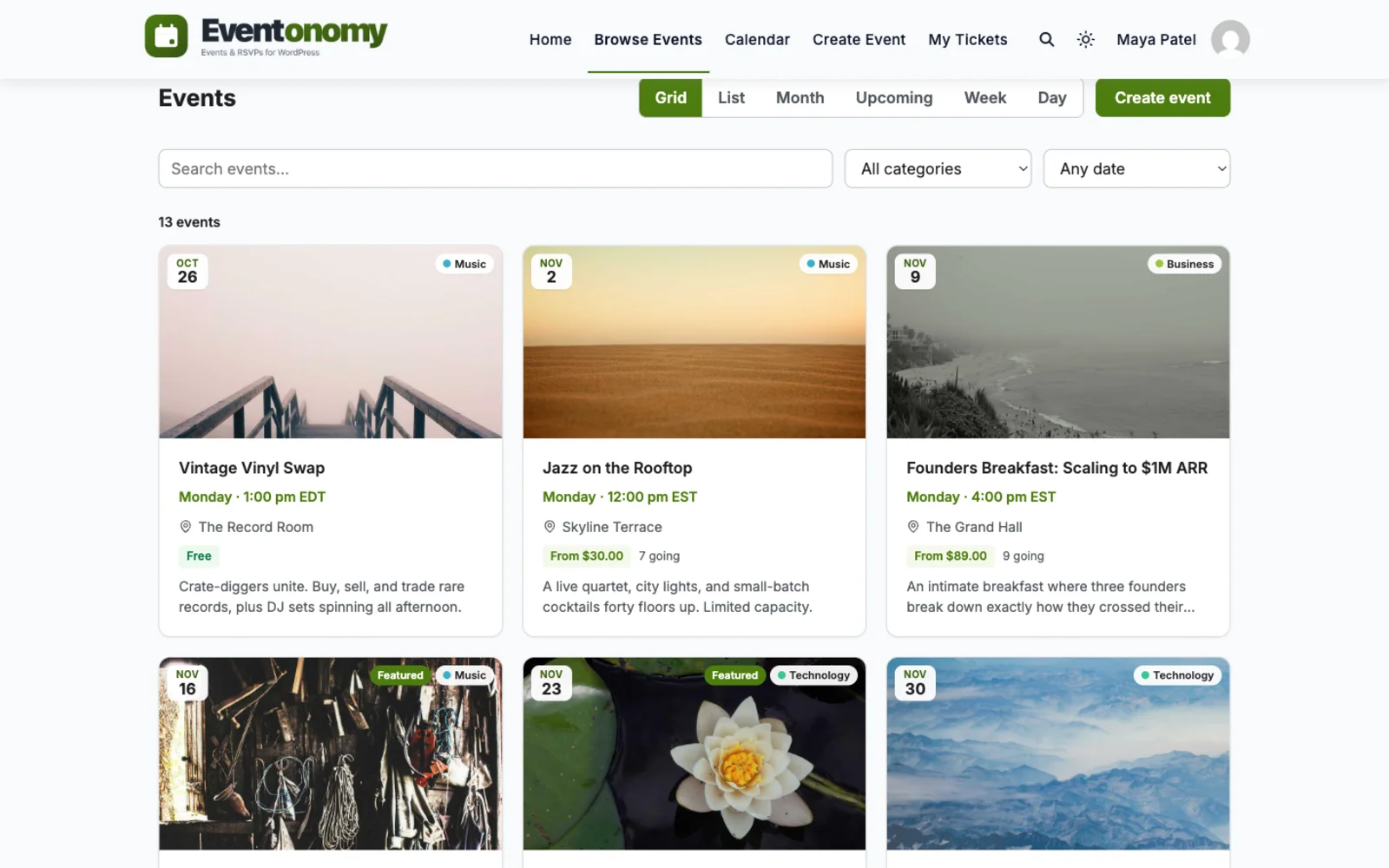
Eventonomy starts at the calendar and the community. Members can create and manage their own events from a front-end dashboard at /manage-events/, and the calendar, list and grid views are in the free plugin. A role setting decides who may submit, and an approval switch holds new events as pending until you review them. We could not confirm from Event Espresso’s site whether it offers member-submitted events, so check that if it matters to you. See the member submission feature.
If events sit inside a community, Eventonomy is built for it. Eventonomy Pro ships a BuddyPress integration: an Events tab on groups and profiles, activity posts, and a bell notification to organizers on each RSVP. BuddyNext Pro ships a separate bridge, with an RSVP button and live headcount on the feed card, and that needs only the free Eventonomy plugin. We found nothing about BuddyPress or BuddyNext in the Event Espresso material we read, so we make no claim about it. The ecosystem page explains who ships which half.
Event Espresso’s help is part of the package: a free one-time installation and a personal demo come with premium, according to its directory page. If you want someone else to set things up, that is a real service we cannot match with a plugin alone.
Eventonomy has one free plugin and an optional Pro licence, from $99 a year. You set it up yourself using the settings screens and the documentation. It is lighter in concepts: an event, a venue, an RSVP, an order. We give no Event Espresso prices here, because the vendor’s own page is the one to trust.
On who takes a cut: Eventonomy has no per-user fee, no per-ticket platform fee and no commission. You pay your gateway’s own charges. For Event Espresso, read the vendor’s current terms for anything beyond its licence and your gateway.
Time is the biggest hidden cost. A registration engine takes a day to learn well, and then it saves hours at every event. A lighter RSVP tool takes an hour to learn and has less to save. Match the tool to how many events you run in a year, not to the biggest event you can imagine. Both run on standard WordPress hosting, and the registration engine brings more screens to learn. It rewards the time if you run complex events, and if your needs are lighter, that depth is something you maintain without using.
We do not have an Event Espresso importer. The importers in the free plugin cover The Events Calendar, EventON, Events Manager, WP Event Manager and Sugar Calendar, plus CSV and iCalendar files. For Event Espresso the honest route is a rebuild, helped by a CSV.
Registrations, tickets, orders and payment records do not move by any route. Export your attendee lists and payment history from Event Espresso and keep them. Run old events to their end under the old plugin while new events go live on Eventonomy. The migration guide covers the preview, import and undo steps.
Stay for conference-style registration, group bookings with a form for every attendee, or flows that need approvals and partial payments. Stay if you rely on its dedicated support team and its track record in complicated registrations. Stay if you rely on its add-ons and the setup is working.
Stay as well if you take payment by invoice or cheque, which the vendor’s site lists. Do not move events that have open registrations. Let them finish where they began.
If you are unsure, run one real event on each. Complex registration shows its value only under a real group booking, and a simple RSVP flow shows its value only when sign-up friction is low. Your own numbers will tell you more than either vendor’s page.
Questions
For a meetup, class, or community calendar, its registration machinery can be more than you need. Eventonomy covers that ground free with RSVPs, waitlists, and recurring events, and adds paid tickets in Pro.
Eventonomy generates daily, weekly or monthly series in the free plugin, with occurrences pre-computed. Yearly and "second Saturday" rules are in Pro. Event Espresso lists recurring event scheduling among its premium features; check their site for how it handles open-ended series.
Yes. Event Espresso is registration-first and very deep there. Eventonomy Pro sells tickets through Stripe, PayPal, or WooCommerce with tax, fees, coupons, and door check-in.
Recurring events, RSVPs, waitlists, and frontend submission are free. Pro starts at $99 per year when you sell tickets.
From the moment we partnered with Wbcom Designs in 2016, they have been nothing short of phenomenal, becoming not just our go-to website developers but also treasured friends. Their team, led by the incredibly kind and competent Varun, has saved our operations on more occasions than we can count,…
The team at WBcom has been extraordinarily helpful in taking care of the technical aspects of my website They respond quickly and address all my issues in a highly professional manner. In addition to being super attentive to the requirements of my site, they have been very patient in explaining…
I have contact with "Wbcom Designs" tomorrow to fix some minor issues for my website. He came to me online on chat and fixed the issues in a very short time. I really appreciate the support team member her name is "Pallavi". Thank you so much 🙏
Excellent plugins and awesome service. Very quick to respond to questions.
Exceptional service by Wbcom Designs, their WordPress Development expertise is commendable. Grateful for their insightful solutions and prompt assistance.
Recently worked with Wbcom Designs and I was impressed with their services. They have the expertise to deliver a perfect website for my business. And one more thing the team at Wbcom Designs was very helpful they understand my every small requirement.
Wbcom Designs are the best and very knowledgeable WordPress Development Service, as I was stuck and didn't know how to resolve the issue. Go for it Guys, without any second thoughts.
Amazing WP themes and Plugins, the support team is also very helpful. I had a wonderful experience with Wbcom Designs team. Highly recommended
we had a wonderful experience with Wbcom Designs team. These guys are great and highly helpful, swiftly responding to our questions and offering answers to our problems. They also did some custom work for us. I'd without a doubt suggest their services to others!
I purchased Reign theme from Wbcom Designs, the support team was very helpful and I got the perfect website what I was looking for. Good work Wbcom Designs