The schedule lives in five places
A wall calendar, a spreadsheet, a booking app, social posts, and your head. Guests still call to ask what is on tonight.
For venues and local businesses
Studios, bars, coworking spaces, and community halls run their whole program with Eventonomy. Publish the schedule, sell the tickets, check people in at the door.
No per-ticket platform fees · your gateway fees are the only fees
Sounds familiar?
A wall calendar, a spreadsheet, a booking app, social posts, and your head. Guests still call to ask what is on tonight.
A printed list, a highlighter, and a queue forming behind the person whose name is misspelled.
Every listing tool makes you enter the venue name, address, and directions again. For your own building.
Calendars
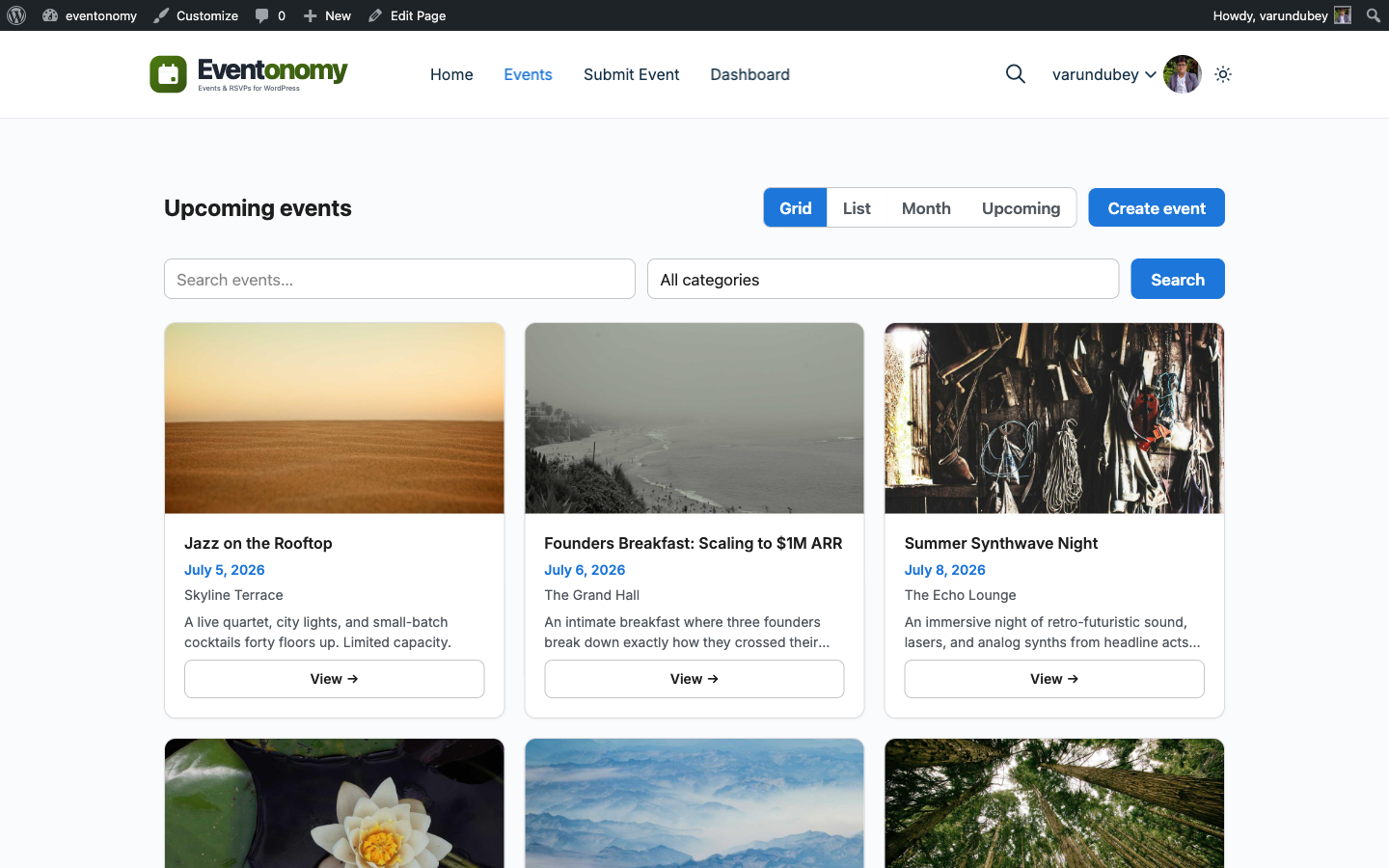
Visitors browse Grid, List, Month, and Upcoming views free, each at its own pretty URL. Pro adds Week and Day grids for spaces with several events per day.
Ticketing · Pro
Multiple ticket types per event, with prices, capacity, and sale windows. You keep the revenue: no per-ticket platform cut, ever.
Door check-in · Pro
Every ticket carries its own secure check-in token. Staff enter it in the check-in block and the attendee is marked in, instantly.
Venue catalog
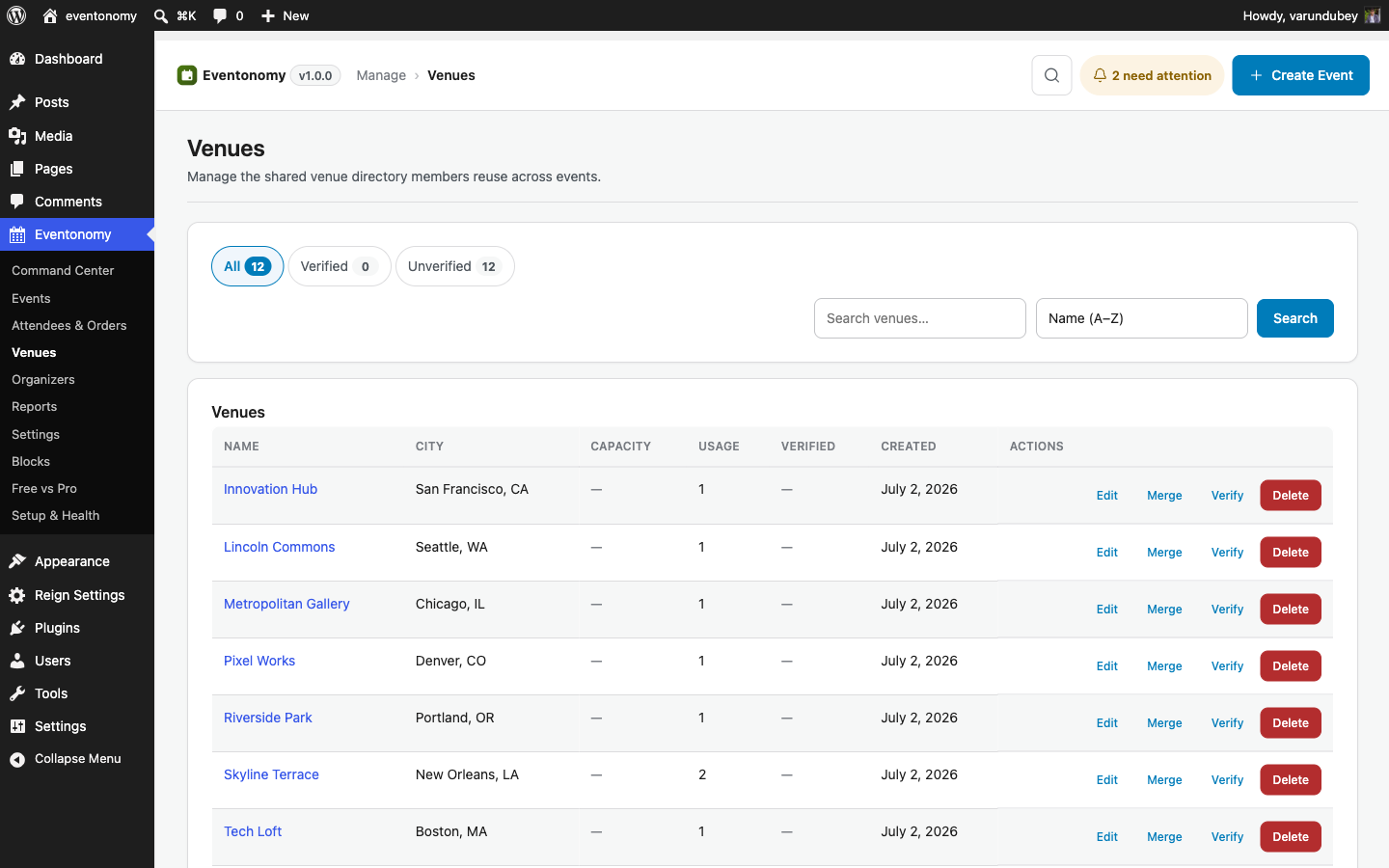
Save each room or space as a venue with its name, address, photo, and getting-there directions. Every new event just picks one from the list, and each venue gets its own page of events.
Friday night
You create Jazz night, pick "Main hall" from the venue list, and add two ticket types.
Orders come in through Stripe. Every dollar minus the gateway fee is yours.
Pro reminders go out. Attendees have their check-in tokens in their inbox.
A volunteer with a phone checks people in by token. The line keeps moving.
You open Reports, see what sold, and schedule the next one.
Which plan?
Start Free to publish the calendar and take RSVPs. Add Pro when you sell tickets, want Week and Day grids, or need door check-in.
Questions
Yes. Grid, List, Month, and Upcoming views are free. Eventonomy Pro adds Week and Day calendar grids for busy program pages.
Each ticket carries a secure check-in token. Staff enter the token in the Pro check-in block and the attendee is marked in. Entry is by typed token; there is no camera scanner.
Yes. The venue catalog holds as many venues as you need. Create "Main hall" and "Studio B" once, then pick one per event.
Add your venue once, publish the week, and point everyone to one URL.