The platform fee never stops
Meetup charges organizers a subscription every year, whether your group met four times or forty. Free groups pay to exist.
For meetup organizers
Everything a recurring meetup needs is in the free plugin: the series, the RSVPs, the waitlist. The member list lives in your database, not on someone else's platform.
No yearly platform fee · no per-member charges · GPL, self-hosted
Sounds familiar?
Meetup charges organizers a subscription every year, whether your group met four times or forty. Free groups pay to exist.
You built the group, but the platform holds the emails. Leave, and you start over from zero.
Same page layout, same branding, same competing groups one click away. Your community deserves its own front door.
Still deciding where to move the group? This page makes the case for running it on your own site, which suits some groups and not others. The survey of Meetup alternatives weighs the realistic options against each other, including the ones that beat this for a paid event or a group that already lives in Discord.
Recurring events · Free
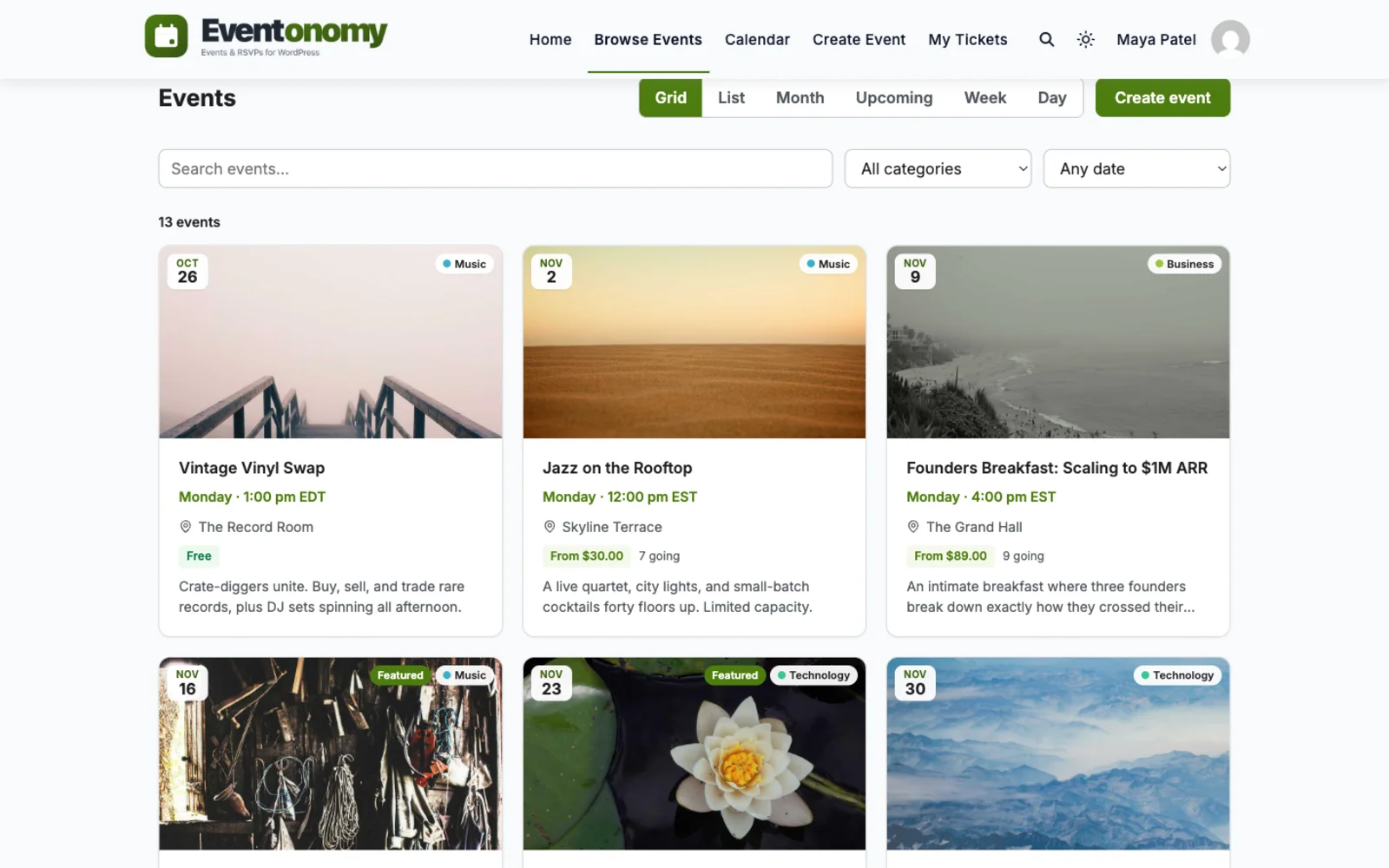
"Every other Thursday" is one rule, not twenty-six copy-pasted events. Eventonomy generates every date in the series for you, and one RSVP covers them all.
RSVPs · Free
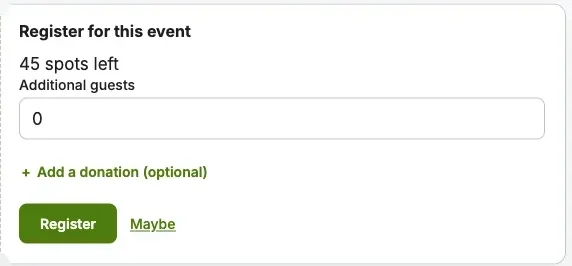
Set the room size and stop worrying. When the event fills, the waitlist catches the overflow, in order.
Your data
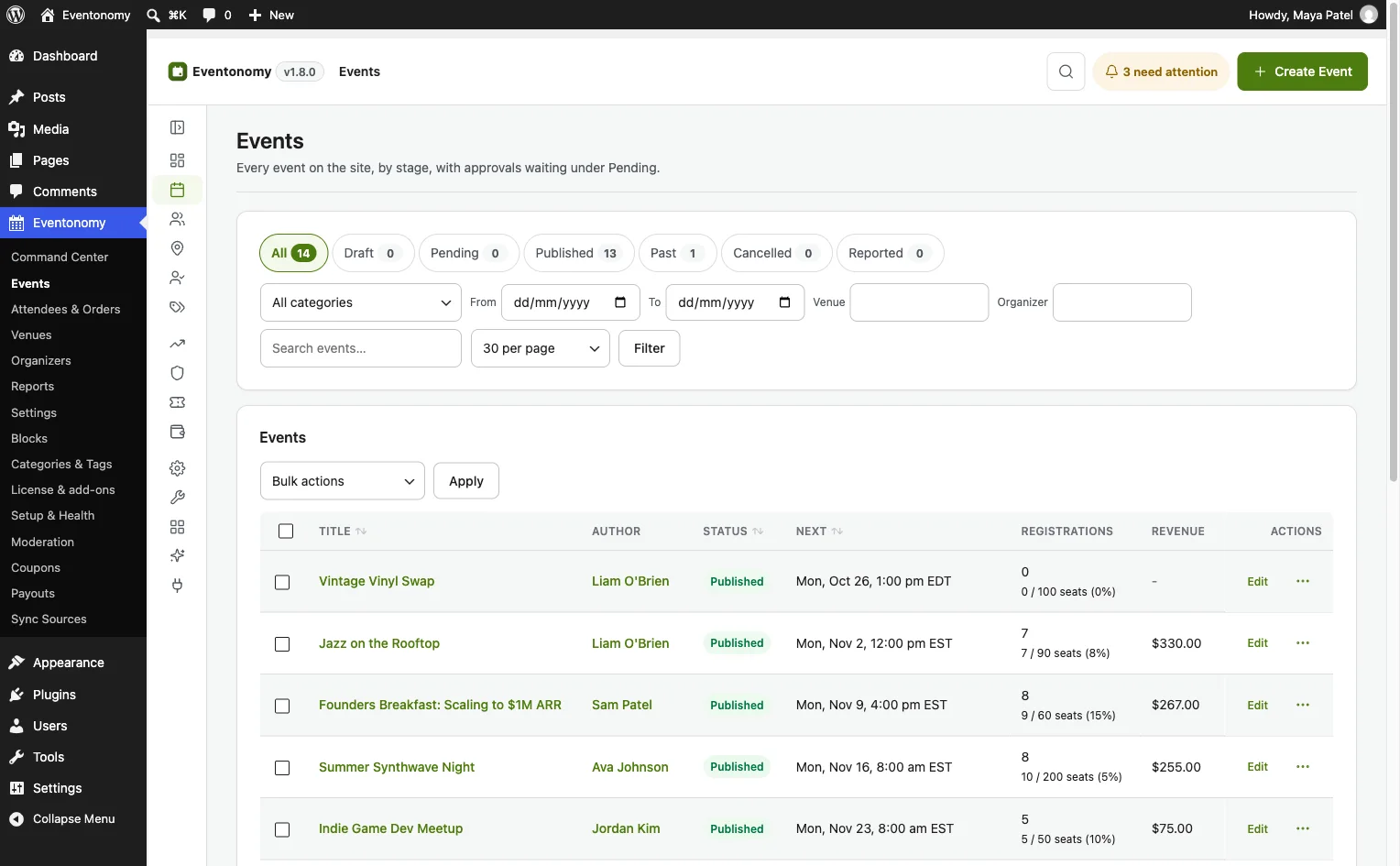
Every RSVP, email, and answer lands in your own WordPress database. Export any event's attendees to CSV whenever you want, for free.
Reminders
Confirmation, cancellation and reminder emails are free and automatic. Reminders go out a day and an hour before each occurrence. Pro lets you set your own timing and adds SMS through Twilio.
A month in the life
You create "WP developers meetup, every other Thursday" and set capacity to 30.
Members and guests RSVP to the series. Confirmations go out automatically.
The date fills. Four people join the waitlist and move up as spots open.
The reminder email goes out on its own, plus SMS with Pro. No-shows drop.
The next occurrence is already on the calendar. You changed nothing.
Which plan?
Recurring series, RSVPs, waitlists, and CSV exports cost nothing. Add Pro when you start charging for tickets or want your own reminder timing and SMS.
In depth
Here is a group that meets every other Thursday, caps the room at thirty, and wants a waitlist. This is the order we would do it in, and which plan each step needs.
Nothing in that list needs Pro. The paid plugin only enters the picture when you start charging for a seat or want your own reminder timing and text messages.
This is the detail that surprises people coming from other platforms, so we will be plain about it. One RSVP covers the whole series. A member who says “going” has said it for the event, not for a single Thursday, and the capacity you set applies across the series as a whole.
Reminders are different. They are sent per date, and each one names the date it is about. So a member who is down as going hears from you before every meeting, which is usually what a regular group wants.
If your room size matters on each night, or you want a fresh attendee list every time, there is a simple answer: create each meeting as its own event. Duplicating an event is built in, so a month of dates takes a few minutes, and each one gets its own cap, waitlist and list. Use the series for the group’s rhythm and separate events for the nights where headcount is the whole point.
Two more limits to know about:
The default setting creates a WordPress account automatically for a new email address. The form shows a ticked box that says the visitor can manage their registration later, and unticking it is honoured. For a group that wants to know who its regulars are, this default is a quiet advantage, because your members end up in your own user list.
If you would rather never create accounts, choose “Guest, no account”. The RSVP is stored against a name and an email, and the person returns through a secure link in their confirmation email. That link is valid for seven days by default. If you want attendees to sign in first, choose “Must log in” and logged-out visitors see a login prompt in place of the form.
An email address that already belongs to a member is always matched to that member. You can read more about the form itself on our RSVP feature page.
Custom questions are off until you switch them on under Settings, Registration. After that you write a bank of questions once, up to twenty, and each event ticks the ones it needs. There are ten answer types, including short text, paragraph, phone, number, date, a dropdown, buttons, multiple choice and a yes or no box.
Good meetup questions are short. Ask for experience level, a topic they want covered, whether they need step-free access, or a dietary note if food is provided. Mark only the one or two that you truly need as required, because each required field costs you a few sign-ups.
Answers appear beside each RSVP in the admin and ride along in the CSV export. A required question applies only to events that actually ask it.
Every RSVP, email and answer sits in your own database. You can export the attendees of an event, or the whole site, to a CSV file whenever you like. You can also email everyone registered for one event from the attendee panel, which suits a venue change or a last-minute update.
Privacy requests are covered too. Tools, Export Personal Data returns a person’s RSVPs and orders by email address, and erasing keeps the seat count correct while removing the person.
Moving a group over is mostly manual, and we will not pretend otherwise. There is no sync from Meetup. The free plugin does import from a CSV file and from an iCalendar file or feed address, and it has one-click importers for several other WordPress events plugins. Your member list does not come across by itself, so invite people with a link and let them RSVP afresh. Our guide to Meetup alternatives weighs the other routes honestly.
Leaving is mostly a communication job, with a little data work. Do it in this order and you lose the fewest regulars. Nothing below needs you to cancel anything on Meetup first, so you can run both for a few weeks.
Meetup’s help centre says any organiser can download an event’s attendee list from the event page: open Organizer tools, choose Manage Attendees, then pick Attendee details. You get a spreadsheet of that event’s RSVP list. Meetup’s own help articles on downloading the attendee list and on member emails explain the rest.
What it does not give you matters more. Per those articles, member email addresses sit in the Meetup Pro dashboard, and a member’s address only appears once they have RSVPed and agreed to share it. If you are not on Pro, assume you will not leave with a mailing list. We could not open those pages directly while writing this, so read them yourself before you plan around them, because Meetup changes its tools.
Before you do anything else, export the attendee list for your last three or four events and keep the files somewhere safe. They are your record of who turns up.
Because you may not have emails, your first announcements go out through the places you already reach people:
Give people one reason to move: the new page, one link, and the date of the first meeting there. Then ask them to RSVP on your site. Each RSVP puts a name and an email address in your own database, which is the list Meetup never gave you.
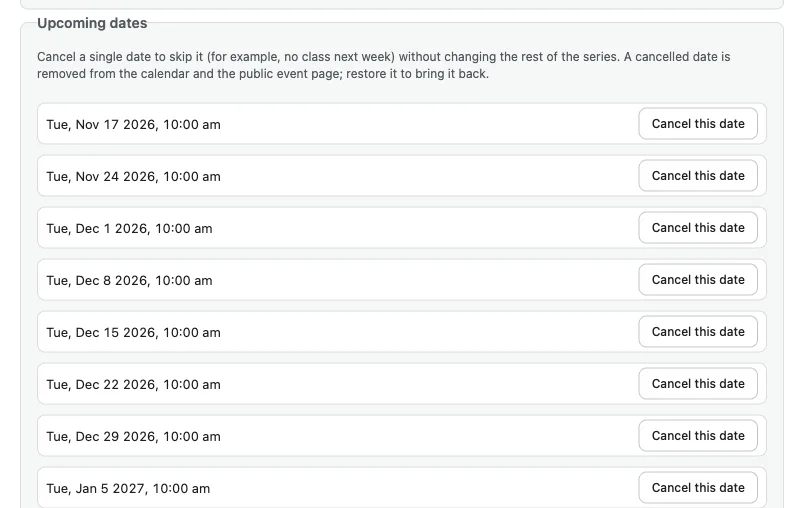
Create each regular meeting once. On the free plugin, a repeat can be daily, weekly or monthly, with an interval. An end date or count is a Pro control. A group that meets every second Thursday picks weekly with an interval of two. “The second Thursday of every month” is a Pro rule. Cancel a single date, such as a holiday, without touching the rest of the series.
Remember how a series behaves: one RSVP covers the whole series and the capacity is shared across it. If every night needs its own headcount, create each night as its own event instead, using Duplicate.
There is no RSVP import, and no importer for Meetup at all. People RSVP again on your site, which is a good habit to start early. Set the capacity, leave “Waitlist when full” ticked, and test it with a spare email address.
Free RSVP-only events promote the oldest person on the waitlist automatically when a seat frees up. If you start selling tickets for an event, that changes: nobody is promoted automatically, everyone waiting is emailed that a seat is open, and the first to finish checkout gets it.
Past events do not move across. If you want them visible, create a short archive post or a handful of past events by hand, or import a CSV of them. The free importer takes a CSV file or an ICS feed address as a one-time import, and its CSV needs only a title column.
If your group has been collecting money, be precise about what you need.
Free reminders go to people marked as going, a day before and an hour before, with no setup. They are sent for each date of a series. Pro lets you change the hours and add text messages. Read one on your phone before the first meeting, because it is the message members will judge your new home by.
After that you decide when to let the old listing go. Keep it as a signpost for a while if you like. A guide that weighs other routes is at Meetup alternatives, and our Meetup comparison sets the two side by side.
Free RSVPs cost nothing and have no event limit. When a meetup needs money, for a venue deposit or a speaker fee, paid tickets are a Pro feature. Checkout goes through Stripe, PayPal, or WooCommerce using whichever gateways that store has switched on. If more than one is on, the buyer chooses.
Pro also adds coupons, tiered and early-bird pricing, tax and booking fees, and refunds. Refunds issued from Eventonomy return the full order. See early-bird ticket pricing for how the tiers work. Pro is a paid yearly licence, and Free vs Pro lists what each tier holds.
One honest limit: on a paid event, a sold-out waitlist does not promote people on its own. You admit them by hand, because an automatic promotion could seat someone who has not paid. Free RSVP events do promote automatically, oldest first, as spots open.
Eventonomy is one of several separate plugins from the same team. They run on one WordPress site with one login, and you install, host and update each yourself. A hosted platform gives you one bill and takes a fee per ticket, while this route trades that convenience for control.
For a group that wants somewhere to keep talking between meetings, Jetonomy adds forums and Q&A. For a group that teaches, Learnomy adds courses. We make no claim that either connects to Eventonomy beyond sharing the site and the login. Our ecosystem page lists them all.
Video
Questions
No password or login is needed. Guests RSVP with a name and an email address and get a magic link to update or cancel. By default the site quietly creates an account for a new email; switch the account setting to Guest if you want none at all.
Yes. Daily, weekly and monthly series are in the free plugin. Yearly and "second Saturday" rules come with Pro. Members RSVP to the series once and get a reminder before each date. When a night needs its own guest list or seat cap, add it as its own event.
The core plugin is free forever on your own site. Reminders a day and an hour before are free too. Pro is a flat yearly license for paid tickets, custom reminder timing and SMS, with no per-member or per-event fees.
Set up your recurring series on your own site this weekend. Your members will follow.
I have worked with Wbcom Designs on several custom development requests for my WordPress platform, and my experience has been excellent.
Love this company. Loved the REIGN product. They were there the entire time helping me set things up; and when things went wrong? They were quick to take action and help find a solution.
After 16 years of buying WordPress themes and plugins, I know exactly what bad support looks like and Wbcom Designs is the polar opposite. My setup was a nightmare: multiple tools, deep integrations, custom configurations that required real back-and-forth. Most vendors would've pointed me to a…
I was using an excellent plugin created by Wbcom Designs and had both an error and discovered a slight bug in one aspect of the plugin. After creating a support ticket - I got a super-quick response and discovered the error was on my part and was fixed right away. Regarding the bug - I was thanked…
I am using the REIGN theme and several plugins from Wbcom Designs on my website. The theme is beautifully designed, and the plugins are user-friendly. Everything works smoothly, and the features are perfect for building professional websites and communities. What impressed me most is their…
Great speedy support and greast plug ins
It has been a very pleasurable experience working with Wbcom Designs. Anmybia Siddiqui has been a stellar leader of the dev team. Her communications are very professional and productive. Amnbiya and her team have completed every task we've requested in a quick and decisive manner. Our company is…
Top notch support! I've been frustrated generally by the slow support for most themes and plugins, but they are helpful and quick to reply. Highly recommend!
I was impressed. I have been worked with many Wordpress Plugins over the past 14 years part time. I have learned that if the support is not prompt and effective it is a sign to move on. Tonight, WEBcom has impressed me and I will be hiring them for some more work in the future due to the FREE…
i wanted to build a community website and these guys created the perfect plugins for me. to be honest, i want to buy every single one of their plugins. if i had more money i would.