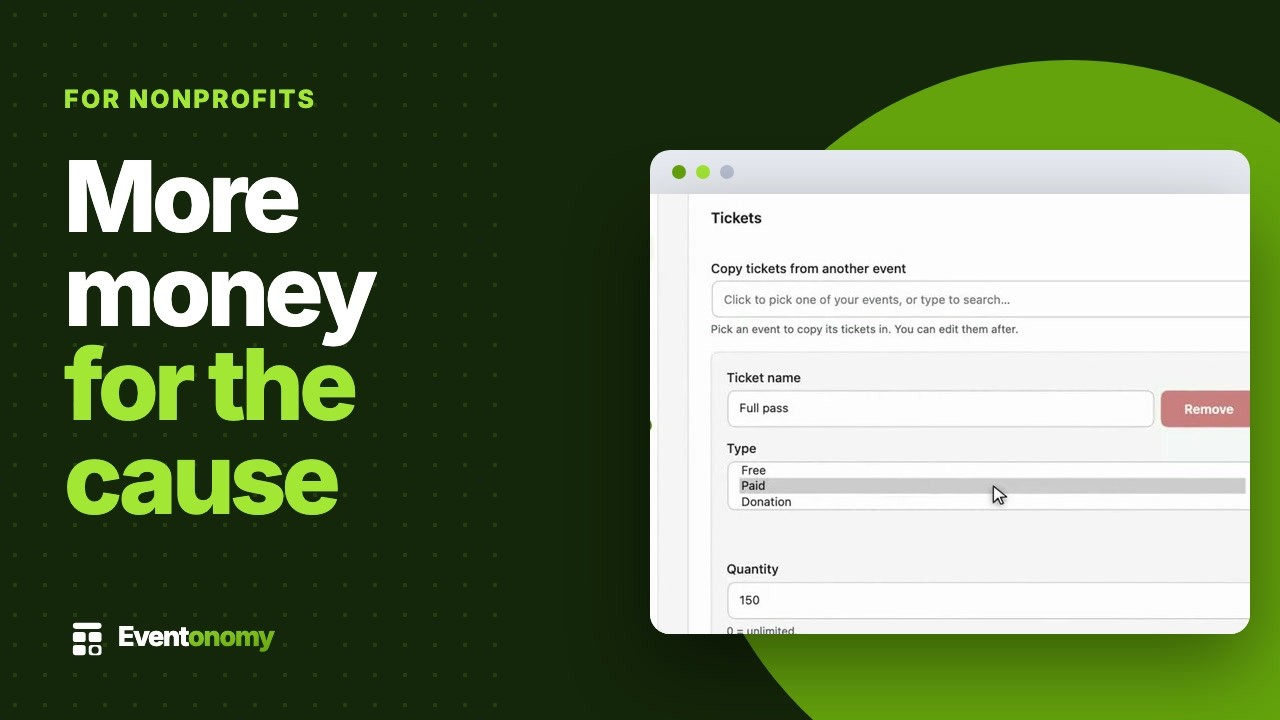
The budget line says zero
Event platforms want monthly fees or a cut of donations. Your board wants every dollar going to the mission.
For nonprofits and churches
Volunteer days, services, fundraisers, and community meals run on the free plugin. No monthly fee, no event cap, no cut of your donations.
GPL, self-hosted · unlimited events and RSVPs on the free plan
Watch it
Sounds familiar?
Event platforms want monthly fees or a cut of donations. Your board wants every dollar going to the mission.
Who is vegetarian, who needs a large t-shirt, who can drive: it is all buried in forty reply-alls.
People offer to help, nobody confirms, and Saturday morning you are short six pairs of hands.
RSVPs and questions · Free
Add custom questions to the RSVP form: dietary needs, t-shirt size, volunteer role, ride sharing. Answers land next to each RSVP in the admin and in the CSV export.
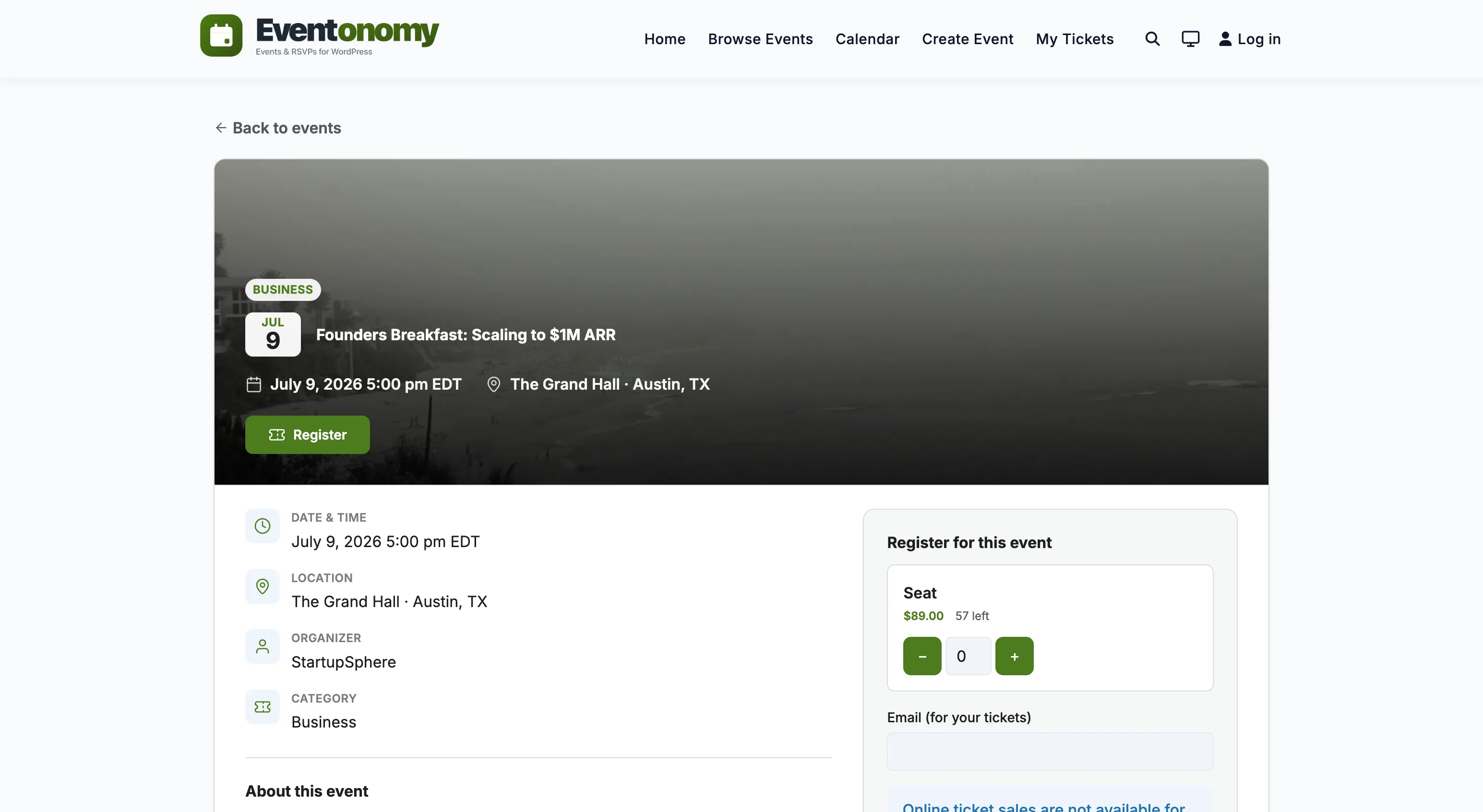
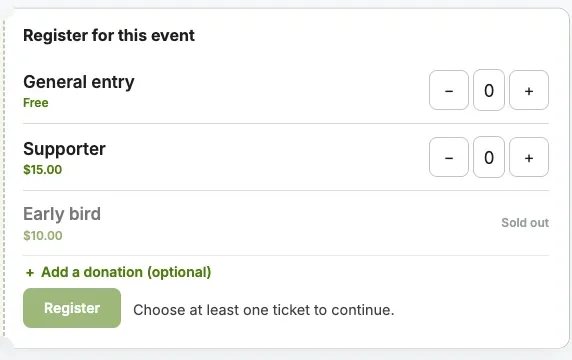
Free records the pledge. Pro charges the card.
Donations
Donation tickets let supporters choose their own amount. The honest split: the free plugin records pledges, and Pro processes the payment through your gateway.
Recurring events · Free
Sunday service, the monthly board meeting, the second-Saturday food drive. Each is one recurring rule that fills the calendar for the whole year. Weekly and monthly rules are free; "second Saturday" rules come with Pro.
Coordination
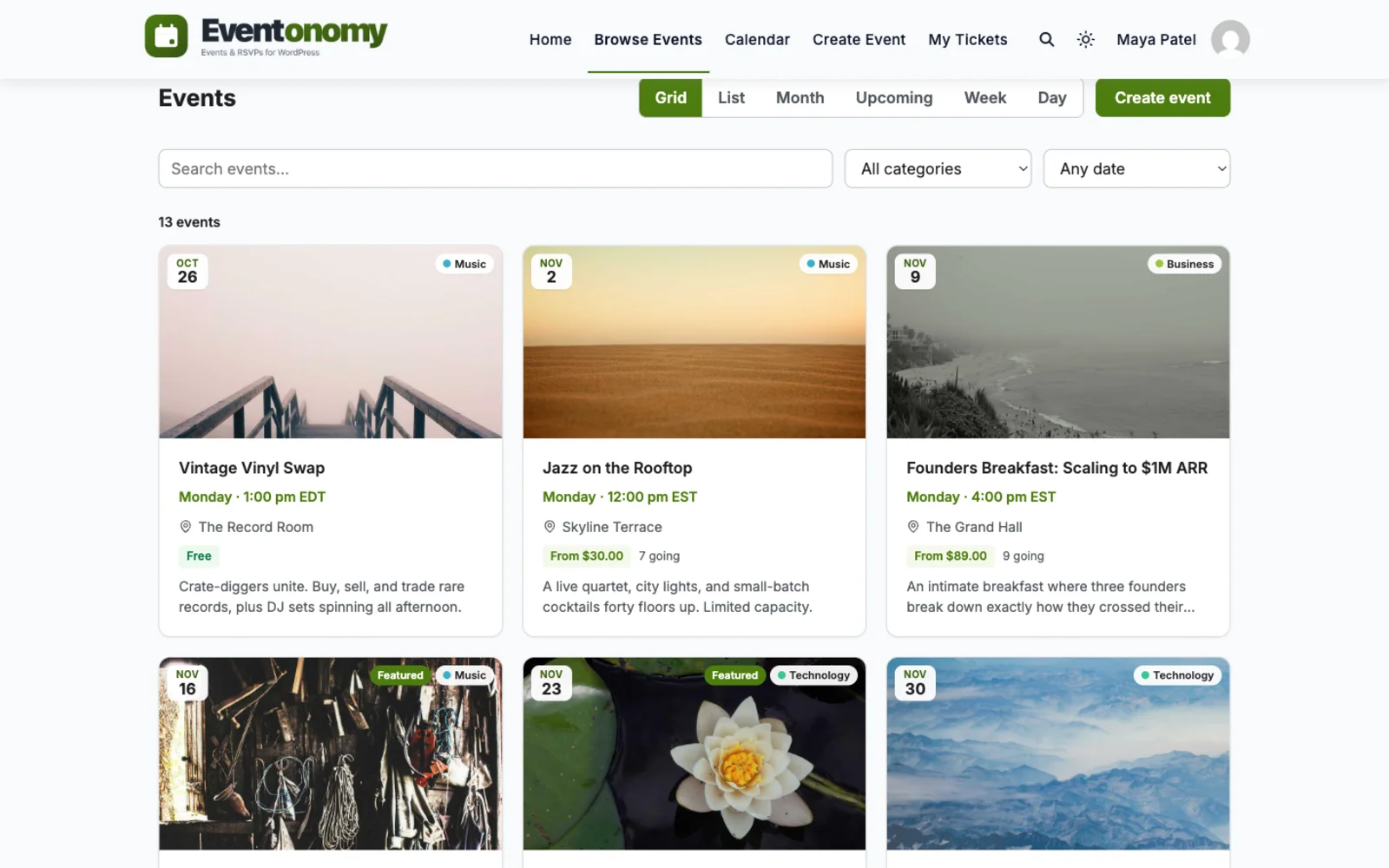
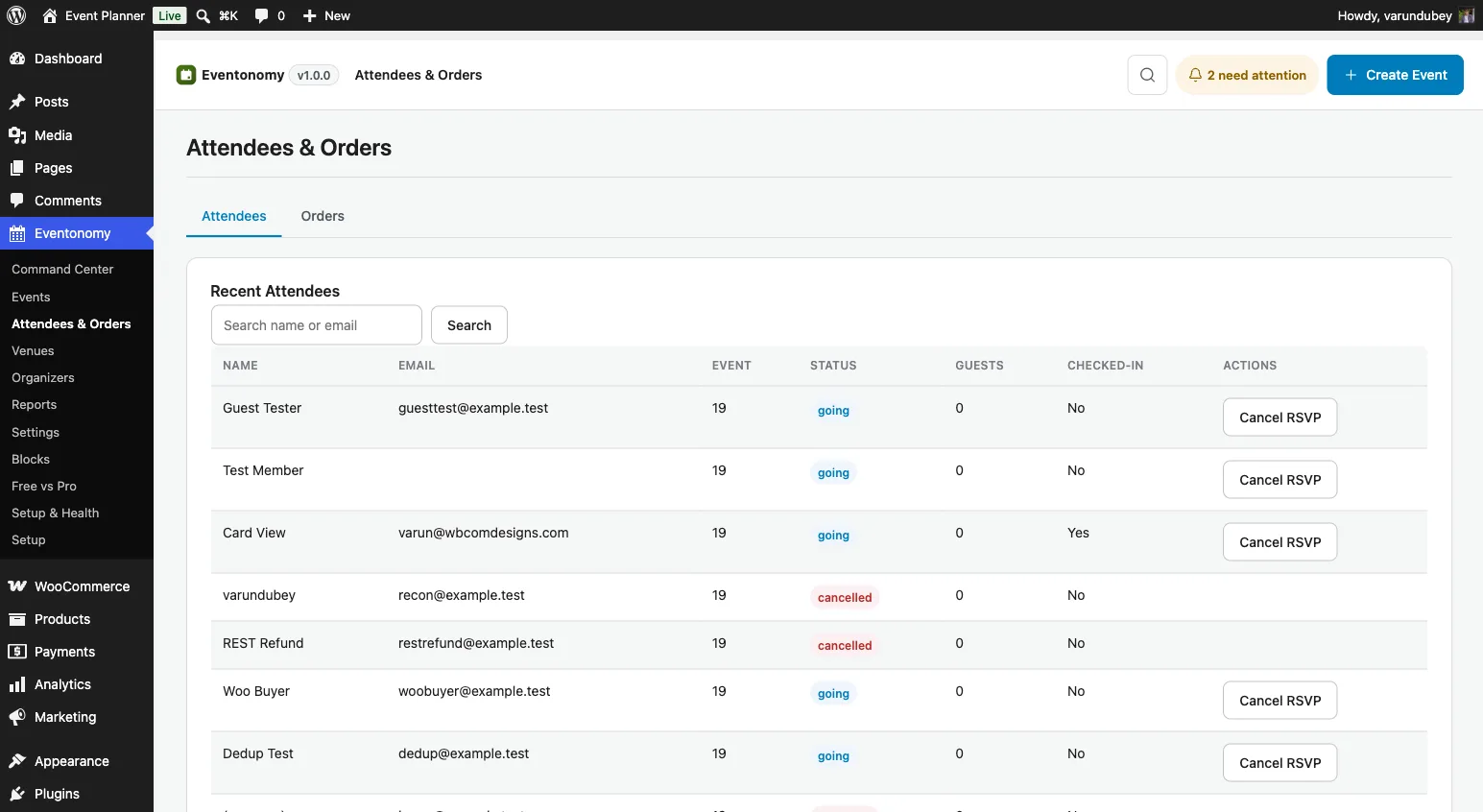
Export any event's attendees and their answers to CSV, free. The kitchen lead gets dietary counts, the driver gets the carpool list, nobody digs through email.
Galas · Golf days
The two big fundraising nights of the year both come down to selling a fixed number of places at a few different prices. Each package is a ticket tier with its own price and its own capacity, so a table cannot be sold twice and the last foursome closes itself.
Paid tiers, card payment through Stripe, PayPal or WooCommerce, and QR check-in at the door are Pro. Free RSVPs with a capacity and a waitlist cover a free-to-attend evening. Eventonomy does not run auctions, paddle raises or text-to-give, so pair it with a fundraising tool if the auction is the main event. How RSVPs and capacity work.
Volunteer day
You publish River cleanup day with role and t-shirt questions on the form.
Volunteers RSVP from the newsletter link. No password, no friction.
You export the CSV: 41 people, 12 on trash pickup, sizes counted for the shirt order.
A branded email reminds everyone about the 8:00 am start and what to bring.
Full crews, right shirt sizes, and a clean river bank by noon.
Which plan?
The free plugin covers sign-ups, questions, waitlists, recurring events, and exports with no limits. Add Pro only when you charge cards for donations or tickets, or want SMS reminders.
In depth
Picture a riverbank cleanup on a Saturday morning, with forty volunteers and a few set roles. Here is how a coordinator sets it up, with the plan each step needs.
Nothing here needs Pro. A charity can run a whole programme of volunteer days and community meals on the free plugin, with no event cap and no trial clock.
A common request: one event, twenty to thirty volunteers, a few different jobs. Eventonomy has no shift scheduler, so you build this from parts that exist. There are two ways, and the choice turns on whether each job needs its own head count.
This is the simplest, and it is entirely free.
The limit is that capacity is for the whole event, not per role. If twenty people pick “Registration desk” and you wanted four, nothing stops them. You catch it in the export, then phone people and move them. For a first event that is usually fine, and it keeps the sign-up to one short form.
If a job really has a fixed number of places, give each job its own ticket instead.
Each role then sells out on its own. Two things change once an event has tickets. A waitlist is still available, but it no longer promotes anyone on its own: when a seat opens, everyone waiting is emailed and the first to complete the sign-up gets it. And you should test how your custom questions appear on the ticket flow before you share the link, so your phone number field is not lost.
There is no shift grid, no hours tracking and no rota. If the event has a morning and an afternoon crew, create two ticket types (“Morning, 8 to 12” and “Afternoon, 12 to 4”) or duplicate the event once per shift. Either way each crew has its own list.
Taking money needs Pro. Paid tickets check out through Stripe, PayPal or WooCommerce, whichever gateways you switch on, and we take no share. For a first dinner, two ticket types are enough: a standard seat and a patron seat at a higher price. Add a donation ticket if supporters want to give an amount of their choice. Pro adds early-bird pricing and coupons, and the checkout can include a prompt to add a donation.
Set the capacity to your room, and use the sales end date to close ticketing before the event. Tickets are priced in one currency. Eventonomy does not issue tax-deductible receipts, so plan to send those from your accounting system.
Check-in is a Pro feature. Each confirmed registration gets a QR code in the confirmation email, for paid tickets and for free RSVPs. People on the waitlist get no code, since they are not admitted.
On the night, a staff member signed in on a phone or tablet opens the Check in section of the Manage Events dashboard and picks the event. They can:
The screen says “Checked in”, “Already checked in” or why a ticket is refused, for example refunded or for another event. One registration is one check-in, and a guest’s party is counted in the headcount. Anyone not marked as going is not admitted until you change their status.
Plan the door around one rule. Check-in works for a signed-in user who owns the event or is a site administrator. Your door volunteers cannot check guests in from an ordinary member account. Either they use the organiser’s login on a shared device that you control, or you give a trusted person an administrator account for the night.
A weekly service or a monthly meal is one repeat rule instead of a dozen listings. Daily, weekly and monthly repeats are free, and Pro adds yearly repeats and patterns such as the second Saturday of the month. You can cancel a single date, such as a bank holiday, and restore it later.
Here is the limit. A sign-up belongs to the event, not to one date. One RSVP covers the whole series, and the capacity applies across all of it. That suits a congregation that turns up on Sundays, and it does not suit a monthly food drive where each month needs its own crew list.
For anything where each date has its own volunteers, create each date as its own event. Duplicating an event is built in, and each copy gets its own cap, waitlist and attendee list. Reminders are sent per date either way.
Custom questions come from a shared bank of up to twenty, and each event ticks the ones it needs. There are ten answer types, including dropdown, multiple choice, phone, date and a yes or no box. Mark a question required only when you cannot run the event without it.
Think before you collect. Dietary needs, t-shirt sizes and ride shares are fine to ask, and they are easy to explain on the form. Medical details, immigration status or anything about children is another matter, and you should keep it off a general RSVP form. Eventonomy has no background check, consent form or safeguarding workflow, so those stay in whatever process your organisation already has.
Anyone with permission to manage an event can see its answers, and the CSV export is limited the same way. Give that permission to the coordinator, not to every volunteer.
There are two different things here. A donation ticket lets a supporter enter an amount. In the free plugin that records a pledge and charges nothing. In Pro, with a payment gateway connected, the same ticket takes the payment, and an optional “add a donation” prompt with suggested amounts can sit on any registration.
Pro checks out through Stripe, PayPal, or WooCommerce, using whichever gateways you switch on. We take no share of what you raise, so what you pay is the gateway’s own fee, your hosting and your yearly Pro licence. Your treasurer should compare that with what a hosted platform keeps on each ticket.
Be clear about what is missing. Eventonomy does not produce tax-deductible donation receipts or annual giving statements. Paid orders carry a PDF invoice, and your gateway has its own records, but if your jurisdiction needs a formal receipt you will issue it from your accounting system. Refunds issued from Eventonomy return the full order.
Sometimes, yes. Zeffy describes itself as an all-in-one fundraising platform with zero fees, and as free for nonprofits. Its own page says it makes money from optional tips from donors, and that donors are never forced to tip. It lists ticketing with custom ticket types and attendee information, e-tickets you scan at the door, in-person payments through a phone app, and raffles, auctions and memberships. It is a hosted service, so there is nothing to install, update or secure. For a group with no website, or nobody who wants to look after one, that is a real advantage.
Eventonomy is a different kind of tool. It is a plugin that runs on the WordPress site you already have. Running registration there is the better fit in these cases.
On money, we are plain about it. There is no per-user fee, no per-ticket platform fee and no commission from us. Paid checkout is Pro, from $99 a year. Your payment processor, Stripe or PayPal, still charges its own fees on every payment, and you pay for hosting. Zeffy’s page says there are no credit card fees on its platform, and we cannot say that. Paid waitlists also work differently: when a paid seat frees up we email everyone on the list, and the first person to finish checkout gets it. Our guide to selling tickets on WordPress without fees walks through the costs.
Zeffy is the better pick when:
Eventonomy is the better pick when the event pages need to be part of your own site, when most of your events are free, or when you want attendee records and community features under your control. Some groups use both: a hosted tool for a yearly gala and Eventonomy for everything else. A formal donation receipt is a separate matter either way. Eventonomy does not issue them, so check what your jurisdiction requires before you choose.
Registrations live in your own database, and nobody else holds a copy. Organisers export their own events, and the site owner can export everything. You can email all registered volunteers for one event from the attendee panel, which is how you send a last-minute weather update.
When a person asks what you hold on them, Tools, Export Personal Data returns their RSVPs and orders by email address. Erasing anonymises their RSVP and keeps the seat count correct, and keeps paid order records. If you ever remove the plugin and want the data gone too, an opt-in setting deletes its tables on uninstall.
Guests change or cancel through a secure link in their confirmation email, valid for seven days by default. That link is also why guest sign-ups work for people who will never log in.
Eventonomy is one of several separate, optional plugins from the same team. They run on one WordPress site and one login, and you install, host and update each one yourself. A hosted platform offers one bill in exchange for a fee on tickets, and a volunteer group with a small budget often prefers the other trade.
Jetonomy adds a forum for volunteers to talk between events. WP Career Board is a job board and Listora a directory, if you also list opportunities or local services. We make no claim that any of these connects to Eventonomy beyond sharing the site and the login. The ecosystem page lists them, and Free vs Pro shows where the paid plugin starts.
A weekly volunteer shift works the same way. One sign-up covers the series, each person gets a reminder before every date, and a single date can be cancelled when the hall is closed. If a shift needs a fixed number of hands each week, give that week its own event so its capacity and waitlist stand alone. People who registered with only a name and email come back through a magic link to change their answer.
Video
Questions
Usually yes. Unlimited events, RSVPs with waitlists, custom questions, recurring events, and CSV exports are all free. There is no event cap and no trial clock.
Donation tickets exist in both plans, honestly split: the free plugin records a pledge without charging it, and Pro charges the card through your payment gateway.
Yes. Make each package a ticket tier with its own price and capacity: a single dinner seat, a table of ten, a golf foursome, a hole sponsor. One registration can reserve several places, and custom questions collect meal choices, handicaps or team names. Paid tiers, card payment and QR check-in at the door need Pro. Free RSVPs with a capacity and a waitlist cover a free-to-attend event.
For registration and tickets, yes; for fundraising, no. Eventonomy runs the event side on your own WordPress site: sign-ups, ticket tiers, waitlists, reminders, check-in and attendee exports. It does not run auctions, paddle raises, text-to-give or donation pages, so if the auction is the heart of your gala, keep a fundraising platform for that part and use Eventonomy for the guest list.
Yes, free. Switch on Custom questions under Settings, Registration, then pick from ten answer types, such as short text, phone, dropdown or checkbox. Mark them required or optional, and read the answers in the admin or the CSV export.
Your next volunteer day can take sign-ups tonight, for exactly zero dollars.
Fast response (1 weekday day) for a simple customisation from Camilia, thank you very much!
Quick and helpful support The supporters, i.e Manuzza Zaidi, have been very helpful and provided some css code even for other plugins.
Fast and knowledgeable staff. The support team goes beyond and above their roles by consulting and sharing their extensive knowledge in trying to solve a problem.
Very responsive, helpful, patient, and solve big problems for me. Great customer service!
Had a minor issue with displaying information in the Resume Manager. Opened a ticket and had the issue fixed the same day. Great job!
It was really great working with shashank from wbcom designs on my project!
A huge thanks to Wbcom Designs for their unparalleled support and cooperation. Their WordPress expertise truly shines through in their work. Highly appreciated and recommended!
I recently purchased the Buddyx Theme and the support that I have been receiving from WBCom is nothing short of amazing! They truly stand behind their product in every sense!
Support staff is responsive and knowledgable
Camilia solved my support request very fast and I am thrilled. So glad I made this purchase.