Events and recurring series
One-off events or daily, weekly and monthly series, free. Yearly and "second Saturday" rules come with Pro. Occurrences are pre-computed, so long series never slow a page down.
WordPress events plugin · Free & Pro
Eventonomy handles the calendar, the RSVPs, and the tickets. Attendee data stays in your database. Nobody takes a cut of your ticket sales.
WordPress 6.5+ · PHP 8.1+ · English + 6 translations
The core kit
One plugin covers the full run of an event. No addon shopping list.
One-off events or daily, weekly and monthly series, free. Yearly and "second Saturday" rules come with Pro. Occurrences are pre-computed, so long series never slow a page down.
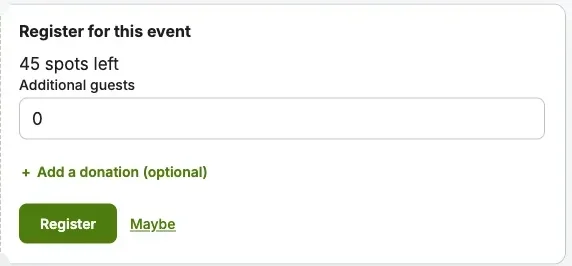
Going, maybe, or no, with guest counts and capacity caps. When an event fills up, a waitlist catches the overflow.
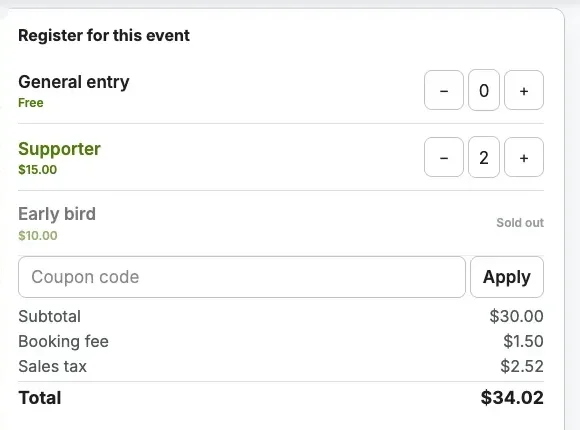
Sell paid tickets through Stripe, PayPal, or WooCommerce. Tax, booking fees, and coupons are built in.
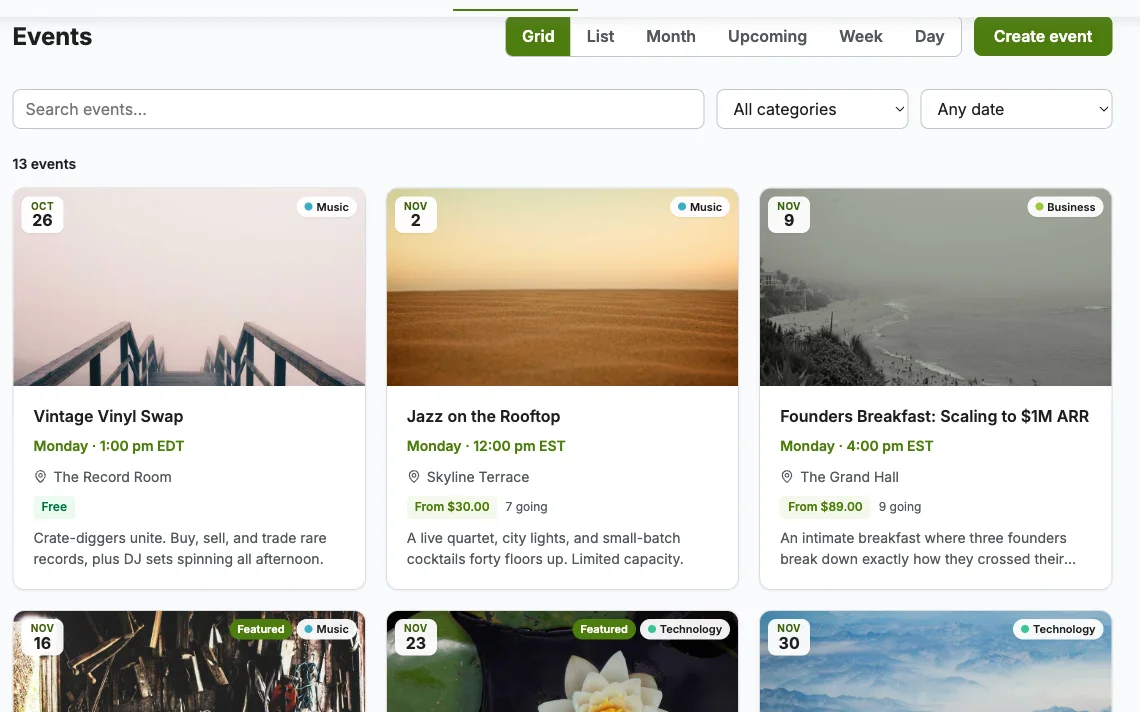
Grid, List, Month, and Upcoming views with pretty URLs and a visitor view switcher. Pro adds Week and Day grids.
A shared catalog of venues and organizers that any event can reference. Enter an address once, reuse it forever.
The Manage Events page (/manage-events/), created on activation, where attendees track their RSVPs and organizers manage events, attendees, and exports in one place.
RSVPs
Members RSVP in one click. Guests use a name and an email, then manage everything through a magic link.
Ticketing · Pro
Eventbrite-style platforms take a fee on every ticket. Eventonomy Pro charges a flat license, and your gateway fees are the only fees.
The workflow
Five real screens from one event, in the order you, your visitors and your attendees reach them. Pick a stop to see it.
Use the front-end event editor or the admin Events screen. Title, dates, venue, tickets, questions and capacity sit on one form.
For developers
Blocks and admin screens run on the same public REST API under eventonomy/v1, Free and Pro alike.
Your integrations use the exact contract the plugin uses.
{
  "items": [
    {
      "id": 214,
      "title": "Makers meetup - July",
      "starts_at": "2026-07-16T18:30:00Z",
      "venue": "Hall B",
      "rsvp_going": 42
    }
  ],
  "total": 124,
  "pages": 11,
  "has_more": true,
  "next_cursor": "470"
}
Pick a ticket
Start free with the whole RSVP workflow. Add Pro when tickets, SMS, or reports matter.
$0
forever
$99/yr
from, 1 site · lifetime available on every tier
Full matrix on the Free vs Pro page. New to this? Start with what a WordPress event plugin has to cover.
Video
Questions
Yes. The free plugin includes unlimited events, RSVPs with waitlists, four calendar views, recurring events, and the member dashboard. Pro adds paid tickets and organizer tools on top.
No. Events live in their own database tables, built for event data. Your event queries never compete with posts and post meta, so large sites stay fast.
Eventonomy Pro checks out through Stripe, PayPal, or WooCommerce. The free plugin handles free RSVPs and needs no gateway at all.
Yes. Every Eventonomy block is a standard WordPress block that inherits your theme styles. They work in block themes and classic themes without template overrides.
Yes. A guest RSVPs with a name and an email address. They receive a magic link to manage or cancel that RSVP later, no login required.
Yes. Eventonomy Pro has a 30-day money-back guarantee if it does not work for you and our support team cannot fix it.
Both plugins update from your WordPress dashboard like any other plugin. Pro updates and support require an active license key from wbcomdesigns.com.
Install the free plugin, run the setup check, publish. The demo seeder even fills a sample calendar for you.
Excellent service from Kerit Piplani and his team. Quick and efficient with my websites. I look forward to lots more business with them.
Support is helping me with set up. Multisite Theme and PLugin working as expected. We are continuing with WBcom Thank You to the team
I am really glad to have known BuddyX Pro Team led by Mr.Varun Dubey. I had a challenge of mobile responsiveness and after I brought the issue to their attention, they were able to address it promptly. They also made a follow-up on my experience after resolving the issue. I highly recommend WBcom…
Its response rate and working very well I appreciate and am very happy to work with this webmaster.
I've been developing a relatively complex website for my business, and my development experience is pretty limited. As expected, I ran into a number of difficulties, and ach time, the Wbcom team helped me resolve my issues quickly and patiently. I can't recommend their products and support enough!
I recently had a fantastic experience with the Wbcom Designs support team. They were incredibly prompt, warm, patient, and friendly as they helped me resolve an issue with my website. I truly appreciate the complexity of troubleshooting website-related issues, as each one is unique, and users often…
Great support; the issue was resolved perfectly well.
Fantastic 6 star support. I wanted to setup a membersite and tried many solutions. I contacted Wbcom for BuddyX and tried the theme with Buddypress. I am not a webdesigner or a coder, but had a requirement that was not standaard. I contacted WBcom and Pallavi helped me from start to finish with…
Great way of support! Thanks a lot! Direct responding, open for questions and very fast to the right solution!
Fast Respond & Troubleshooting With technical insight