Appointment scheduling depth
Booking people into staff and service time slots is the core of Amelia, and it is excellent at it. If you schedule appointments more than you run events, Amelia fits.
Comparison
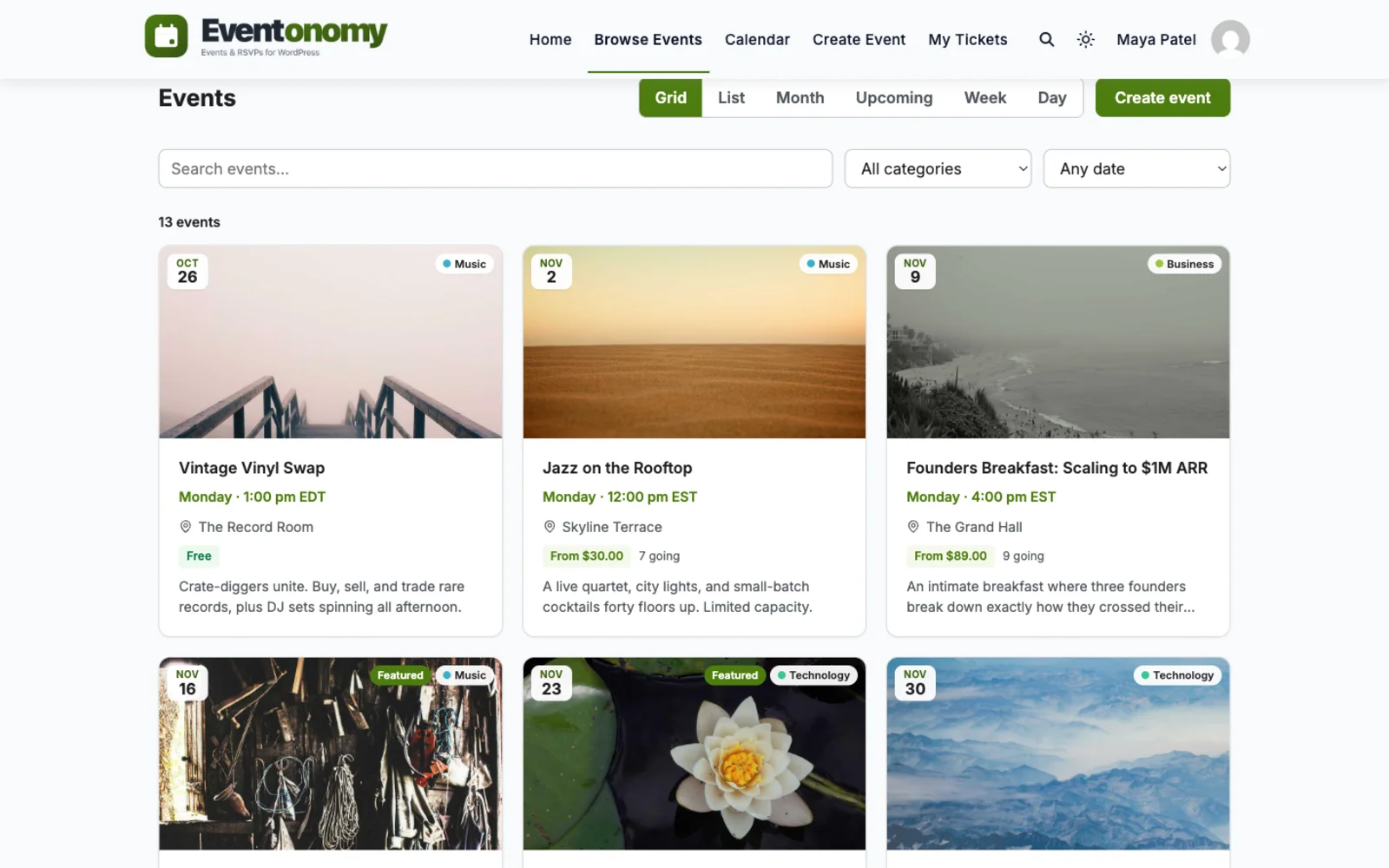
Amelia is excellent at booking people into staff and service time slots. Eventonomy plays a different game: community events, RSVPs with waitlists, recurring series, and frontend submission, with blocks that inherit your theme instead of shortcodes.
Feature by feature
| Feature | Eventonomy | Amelia |
|---|---|---|
| Primary focus | Community events, RSVPs, and ticketing, built for events first | Appointment and service booking first; events are a secondary module |
| Price of entry | Free plugin; Pro from $99 per year (see store for current pricing) | Limited free version; full features on a paid license (verify current pricing) |
| RSVPs | Going, maybe, and no with guest counts and questions, free | Booking-based; the maybe / going RSVP model is not the focus |
| Waitlist | Free; capacity caps hand overflow to the waitlist | Waiting list exists, oriented around appointment slots |
| Recurring events | Daily, weekly and monthly series free; yearly and "second Saturday" rules in Pro | Recurring support is strongest for appointments and services |
| Paid ticketing and gateways | Pro checkout via Stripe, PayPal, or WooCommerce, with door check-in | Payments via WooCommerce, Stripe, PayPal, and more, geared to bookings |
| Frontend submission | Free, with the Manage Events dashboard at /manage-events/ | Customer booking forms; member-run event submission is not the focus |
| Output model | Native WordPress blocks that inherit your theme styles | Shortcodes and page-builder widgets |
| Data architecture | Own database tables, REST-first, Interactivity API blocks | Custom tables with a modern admin; output via shortcodes and widgets |
| Translations | Ships in English with 6 translations plus RTL support | Translation-ready with multilingual support |
Amelia details reflect their public free and paid lineup as of July 2026, except rows dated otherwise, and can change. Verify current packaging and pricing on their site.
Credit where due
A comparison you can trust names the other side's real strengths. Here are theirs.
Booking people into staff and service time slots is the core of Amelia, and it is excellent at it. If you schedule appointments more than you run events, Amelia fits.
Employee calendars, per-service durations, and Google or Outlook sync suit salons, clinics, and consultants running a booking desk.
Its step-by-step booking flow is mature and well designed, tuned over years for service purchases.
The verdict
Video
In depth
Pick by what you sell. If customers book a slot with a person (a haircut, a consultation, a tutoring hour), pick Amelia. Booking appointments against staff schedules is what it is built for, and Eventonomy does none of that. If people attend something together on a date (a class, a talk, a meetup, a fundraiser), pick Eventonomy. It is an events plugin with RSVPs, capacity, a waitlist, recurring series and member-submitted events in the free plugin, and paid tickets in Pro.
Amelia says on its own site that it is a booking plugin for appointments and events, and its events module is real: custom prices, ticket types, recurring events, deposit payments and event waiting lists. So the question is rarely “which has an events feature”. It is “which tool matches the shape of what I run”.
An appointment is a slot. One customer, one provider, one time, and the plugin’s job is to stop two people taking the same slot. An event is a seat in a shared room. Many people attend the same thing at once, and the job is to count them, cap them and tell them when to arrive.
Take one Saturday class that repeats weekly with a limit of twenty people.
In Amelia you create the event inside the booking system, set its capacity and price, choose a repeat, and place the booking form on a page with a shortcode or a page-builder widget. People book through the form and pay if you set a price. It sits next to your services, employees and appointment slots.
In Eventonomy you create the event in the front-end editor or the admin and pick a weekly repeat, which the free plugin handles. You turn on RSVPs and set the capacity. Visitors answer going or maybe, bring guests if you allow them, and fill in any custom questions you switched on. The twenty-first person joins the waitlist, and on a free event a freed seat goes to the next person automatically.
Both end at a working sign-up page. The difference is the model around it: a booking form tied to your services, or an event page with a headcount.
An Amelia visitor steps through a booking wizard built for scheduling. An Eventonomy visitor sees an event page with a registration panel, an add-to-calendar link and, with Pro, a map. Pick the one that matches how your customers already talk about your classes: as slots they book, or as events they join.
Be clear about the scope. Amelia is built for appointment and service businesses: employees and their schedules, services with durations, rooms and equipment shared between staff, and calendar sync with Google or Outlook. Its site also describes email and SMS reminders and follow-ups to cut no-shows, and automatically detected time zones for global customers.
Eventonomy has none of the staff and resource side. There are no employees, no services and no time-slot booking engine. An event is a thing with dates, a venue, a capacity and a crowd. If you need to know that Dana has a free hour at two o’clock, Amelia is the right tool and Eventonomy is the wrong one.
The reverse holds too. Amelia’s strength is the one-to-one or small-group slot. Eventonomy’s strength is the open event with a public calendar, guests, a waitlist, member submissions and door check-in.
Amelia has a free edition on the WordPress plugin directory, and a paid version. Some features are held back for paid plans: its own pages place event waiting lists on higher plans, for example. The lists change, so check the vendor’s pages for which event features sit in the free edition before you build on it.
Eventonomy has one free plugin and an optional Pro licence, from $99 a year. Free covers unlimited events and RSVPs (going, maybe, waitlist), recurring events, custom questions, ICS feeds and add-to-calendar, front-end submission, a venue and organizer catalog, and reminders. Pro covers paid tickets and checkout, tax, booking fees and coupons, door check-in, week and day grids, maps, SMS and custom reminder timing. The full split is on Free vs Pro.
Amelia’s events module supports recurring events according to its own site. How far that goes is a question for the vendor, so test your exact pattern before you commit.
In Eventonomy the free plugin handles daily, weekly and monthly series. Yearly rules and patterns such as the second Saturday of the month are Pro. Each date becomes its own occurrence on the calendar with its own page, and one RSVP covers the series while reminders go out per date. You can cancel a single date and restore it later. You cannot move one date to a different time on its own; for that, create a separate one-off event.
An RSVP is a different thing from a booking. In Eventonomy a visitor says going, maybe or no, adds guests if you allow them, and answers any custom questions. Capacity is checked on the server, so two people racing for the last seat cannot both get it. When the event is full, the button changes to join the waitlist, and a free RSVP event promotes the oldest waitlisted person when a seat opens.
Paid events work differently, and you should know before you sell. A paid event’s waitlist is not promoted automatically. When a paid seat frees up, everyone on the waitlist is emailed and the first person to complete checkout gets the seat. Nobody is held a seat, and no queue position is shown. If you would rather choose who gets in, you can admit people yourself with a comp ticket.
Amelia lists event waiting lists on its higher plans. Whether its waitlist fits your event is worth checking on a trial.
Amelia’s site lists payments through PayPal, Stripe, Mollie, RazorPay and WooCommerce, deposit payments, and refunds for cancelled bookings. We do not list deposits in our checkout.
Eventonomy Pro takes Stripe, PayPal, or a bridge to the gateways your WooCommerce store already uses. Buyers go to a hosted checkout and the money lands in your account. Pro supports several ticket types per event, early-bird and tiered pricing, coupons, tax and booking fees. Refunds started from Eventonomy always cover the full order, so a partial refund is handled in the gateway’s own dashboard.
Eventonomy’s registration form is the RSVP panel. The site owner builds a bank of up to twenty custom questions in ten answer types, and each organizer picks which of them their event asks. The feature ships switched off, so turn it on under Settings, Registration before you rely on it. You also choose whether attendees must have an account: create one automatically (the default), guest only, or must log in.
Both plugins keep attendee records in your own database. Eventonomy puts every RSVP and order on one screen with filters for event, status and date range, and exports to CSV. Guests manage their own RSVP from an emailed link. Erasing a person on request anonymizes the RSVP, keeps the seat count and retains the financial record.
No-shows are the pain point for every class. Amelia’s site describes email and SMS reminders and follow-ups. Eventonomy sends a reminder a day before and another an hour before from the free plugin, with nothing to configure. Pro lets you list your own reminder hours and adds text messages.
Door check-in is Pro. Each confirmed attendee gets a QR ticket in their confirmation. The event’s organizer or a site Administrator scans it with the phone’s own camera app and the guest is checked in. The check-in block also takes a USB scanner, a pasted ticket link, or a name or email search. A repeat scan shows already checked in, a refunded ticket is refused, and a waitlisted person cannot be checked in until admitted.
If your instructors or members should create their own events, Eventonomy has a Manage Events dashboard at /manage-events/ in the free plugin. Each person sees their own events, RSVPs and exports. You can hold new events for approval, and any member can report an event to you.
We did not find member-run event submission described on Amelia’s site, so check that if it matters to you. See front-end event submission for how it works here.
Amelia is a service-business tool, and its pages do not describe a community layer. If your site is a community where members host and attend things, Eventonomy Pro adds a BuddyPress integration with a group Events tab, a member profile Events tab, activity posts and notifications. The BuddyNext side is shipped by BuddyNext Pro and needs only the free Eventonomy plugin. Neither is needed for a plain events site. Read more on Eventonomy for communities.
Amelia’s cost is its licence plus whatever your payment provider charges. We do not quote its prices here because they change; check the vendor’s page.
Eventonomy is a plugin you install on your own site, so there is no per-user fee, no per-ticket platform fee and no commission from us. You pay your gateway’s own fees, and a Pro licence if you sell tickets. Free events and RSVPs cost nothing.
On time, a booking system asks you to define services, staff, working hours and rules before it earns its keep. An events plugin asks for a venue and a date. If your business is classes and nights out, you will be live sooner with the latter.
There is no Amelia importer. Our free importers cover The Events Calendar, EventON, Events Manager, WP Event Manager and Sugar Calendar, plus CSV and iCalendar files. Amelia is not on that list.
Bookings, customers and payment history stay in Amelia, and orders, payments, sold tickets and RSVPs are never carried over by any of our importers. Export what you need and keep it. If you plan to run both plugins, you do not need to move anything: leave appointments where they are. They are separate plugins from separate teams, and we make no integration claim between them. Expect two admin areas and two sets of settings.
Stay if your core need is appointments or staff scheduling, or if you want its booking wizard for a service business. Stay if employee calendars, shared rooms and Google or Outlook sync are why you bought it. Do not move a working salon or clinic setup to try an events plugin.
Write down your next three months of offers and mark each one as a slot someone books or an event people join. Then check these.
Questions
Amelia is primarily an appointment and service booking plugin that also offers an events module. Eventonomy is built for community events, RSVPs, and ticketing from the ground up, with a member dashboard and frontend submission.
Both take payments. Eventonomy Pro checks out through Stripe, PayPal, or WooCommerce with tax, fees, and coupons built for events, plus door check-in and a commission ledger. The Amelia payment flow is oriented around appointment bookings.
Amelia offers a limited free version, with full features on a paid license. Verify current packaging on their site. Eventonomy starts free with RSVPs, waitlists, recurring events, and frontend submission included.
Recurring events, RSVPs, waitlists, and frontend submission are free. Pro starts at $99 per year when you sell tickets.
Very impressed with the customer service and technical team. There were some misalignments after the theme update. The team responded promptly and provided fast technical assistance. Thank you again for your fast actions.
Varun is always generous with his knowledge and time. Thank you for all you are doing for weDIDit.Health!
A team member responded quickly and answered my question. Great customer service!
I worked with Varus and he was very friendly and cordial. He is an honest person and does what you ask of him. I recommend you 100%. I currently use the plugins that your company has used and so far they are working very well for me.
Camila Scot of Wbcom was helpful. I got a super prompt help with my BuddyX Theme. Although I am a free version user, I got irst attention. I am satisfied. I will eventually buy the lifetime version once we fully deploy it and we are sure it meets our need.
I've used several of their plugins. Occasionally support was needed but they were quite prompt in their support and solved the issue.
A plugin made a conflict and they fixed it immediately, great plugins anf great support.
They provided me great advice on how to achieve the best display and function for my blog.
From the moment we partnered with Wbcom Designs in 2016, they have been nothing short of phenomenal, becoming not just our go-to website developers but also treasured friends. Their team, led by the incredibly kind and competent Varun, has saved our operations on more occasions than we can count,…
The team at WBcom has been extraordinarily helpful in taking care of the technical aspects of my website They respond quickly and address all my issues in a highly professional manner. In addition to being super attentive to the requirements of my site, they have been very patient in explaining…