What Pro Adds Pro
Pro feature. Available in Eventonomy Pro.
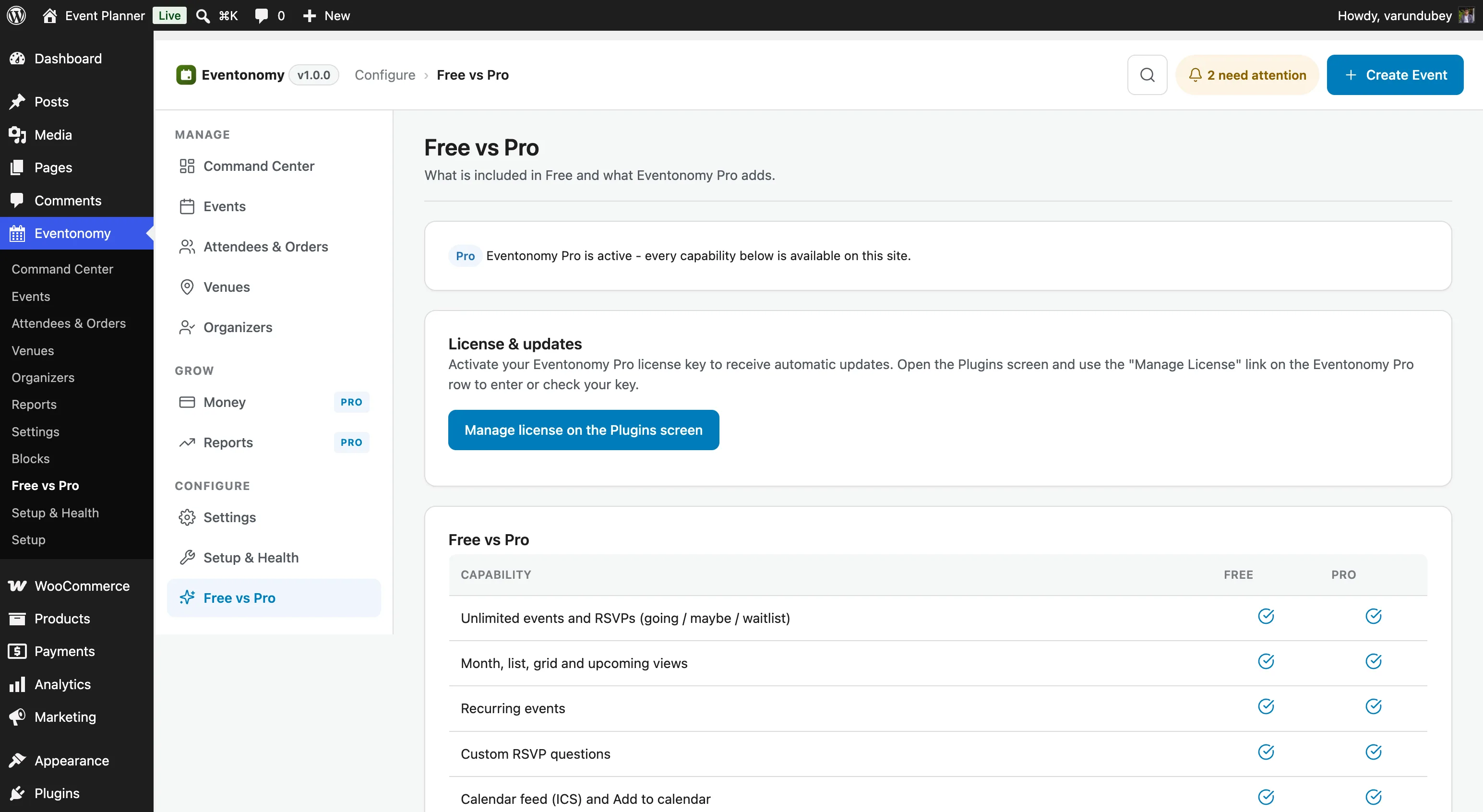
Eventonomy Free is a complete event management platform. Eventonomy Pro comes in two halves, and most of it is for every organizer, including free community events:
- Community & Growth - calendar sync, door check-in for any event, discovery + following, BuddyPress community tabs, maps, week/day views, richer notifications, and analytics.
- Commerce - paid ticketing, gateways, coupons, tiered pricing, refunds, and organizer payouts, for when you sell tickets.
If you never sell a ticket, Pro still earns its place: the community and growth tools work on your free events.
What You Will Learn
- Every capability that Pro adds, organized by category
- Which blocks are Pro-only
- How Free and Pro relate to each other technically
Feature Comparison
Import & Sync
| Feature | Free | Pro |
|---|---|---|
| One-time import from another WordPress events plugin | Yes | Yes |
| CSV / iCalendar file import | Yes | Yes |
| Live calendar sync: connect a source that re-imports on a schedule | No | Yes |
| Members connect their own calendar/account from the frontend dashboard | No | Yes |
| Sync from any public iCalendar URL (Google Calendar, Outlook, …) | No | Yes |
| Direct Eventbrite connection (paste a private token; admin or member) | No | Yes |
The Free plugin migrates events once from another plugin or a file. Pro adds live sync: a member (or the site owner) connects a public iCalendar URL (or an Eventbrite account with its private token), and its events keep importing automatically. Meetup is planned for a future release. See Calendar Sync.
Commerce
| Feature | Free | Pro |
|---|---|---|
| Free tickets ($0) | Yes | Yes |
| Donation pledges (no charge) | Yes | Yes |
| Donation collection (charged) | No | Yes |
| Paid ticket checkout | No | Yes |
| Stripe gateway (0% fee) | No | Yes |
| PayPal gateway | No | Yes |
| Pay through your site's own checkout (WooCommerce) | No | Yes |
| Taxes | No | Yes |
| Booking fees | No | Yes |
| Coupon codes | No | Yes |
| Refunds (full order, incl. webhook-initiated) | No | Yes |
| Platform fee & organizer payouts | No | Yes |
Calendar Views
| Feature | Free | Pro |
|---|---|---|
| Grid view | Yes | Yes |
| List view | Yes | Yes |
| Month calendar view | Yes | Yes |
| Upcoming view | Yes | Yes |
| Week hour-grid view | No | Yes |
| Day hour-grid view | No | Yes |
Maps
| Feature | Free | Pro |
|---|---|---|
| Venue name and address display | Yes | Yes |
| City-based search/filtering | Yes | Yes |
| Geocoding (address → lat/lng) | No | Yes |
| Map on single-event page | Yes (when the event has coordinates, e.g. imported) | Yes (coordinates auto-geocoded) |
| Events map view (all events on map) | No | Yes |
| Nominatim / Mapbox / Google Maps | No | Yes |
Attendee Tools
| Feature | Free | Pro |
|---|---|---|
| RSVPs (going/maybe/no/waitlist) | Yes | Yes |
| Guest RSVPs with magic link | Yes | Yes |
| Custom registration questions | Yes | Yes |
| QR ticket codes (scan to check in) | No | Yes |
| Door check-in scanner (QR + manual) | No | Yes |
Door check-in works for free events too. You do not need to sell tickets to use it: every RSVP gets a scannable QR, so a free meetup, workshop, or conference can check members in at the door with the same scanner.
Notifications
| Feature | Free | Pro |
|---|---|---|
| Email confirmations and admin alerts | Yes | Yes |
| Custom email templates | No | Yes |
| Event reminder emails (1 day + 1 hour before start) | Yes | Yes |
| Custom reminder timing (one lead time you choose) | No | Yes |
| SMS notifications (Twilio) | No | Yes |
| Phone number field on RSVP/checkout | No | Yes |
Discovery & Analytics
| Feature | Free | Pro |
|---|---|---|
| Member event dashboard | Yes | Yes |
| Organizer analytics block | No | Yes |
| Discovery feed (personalized) | No | Yes |
| Follow organizer | No | Yes |
| Conversion tracking (GA4 + Meta Pixel) | No | Yes |
Community (BuddyPress)
Available when BuddyPress is active. See BuddyPress Community.
| Feature | Free | Pro |
|---|---|---|
| Group Events tab (List + Calendar + Create) | No | Yes |
| Member profile Events tab (Organizing / Going / Interested / Maybe) | No | Yes |
| Activity-stream posts (created events, Going RSVPs) | No | Yes |
| Bell notification to the organizer on a Going RSVP | No | Yes |
| Community settings card (master + per-pillar toggles) | No | Yes |
Blocks
| Block | Free | Pro |
|---|---|---|
| eventonomy/calendar | Yes | Yes |
| eventonomy/event-editor | Yes | Yes |
| eventonomy/events-list | Yes | Yes |
| eventonomy/manage-attendees | Yes | Yes |
| eventonomy/my-events | Yes | Yes |
| eventonomy/rsvp | Yes | Yes |
| eventonomy/search-filter | Yes | Yes |
| eventonomy/single-event | Yes | Yes |
| eventonomy/upcoming | Yes | Yes |
| eventonomy-pro/checkin | No | Yes |
| eventonomy-pro/day-view | No | Yes |
| eventonomy-pro/discovery-feed | No | Yes |
| eventonomy-pro/follow-button | No | Yes |
| eventonomy-pro/map-view | No | Yes |
| eventonomy-pro/member-events | No | Yes |
| eventonomy-pro/organizer-analytics | No | Yes |
| eventonomy-pro/photo-grid | No | Yes |
| eventonomy-pro/week-view | No | Yes |
Pro ships nine blocks. Note the eventonomy-pro/ prefix - Pro's blocks are namespaced separately from Free's eventonomy/ blocks.
Four of the nine only appear in the inserter once the thing they depend on is switched on, so a fresh Pro install shows five until you enable them:
| Block | Appears when |
|---|---|
| eventonomy-pro/discovery-feed | Settings → Features → Discovery is on |
| eventonomy-pro/map-view | Settings → Connections → Maps & geocoding is on |
| eventonomy-pro/organizer-analytics | Settings → Features → Analytics is on |
| eventonomy-pro/member-events | BuddyPress is active and the BuddyPress integration is enabled |
These gates are deliberate: a map with no geocoded coordinates has nothing to plot, and an analytics block on a site with analytics switched off would publish numbers the owner asked you not to show. Turning the feature back on restores the block immediately; nothing you already placed on a page is lost.
The eventonomy/checkout block was retired in favor of a single checkout surface: paid-ticket checkout (ticket stepper, coupon apply, and the itemized total summary) now lives in Free's eventonomy/rsvp block, so there is only one place to buy a ticket.
For the platform-fee ledger and organizer payouts, see Earnings & Payouts.
How Free and Pro Relate
Pro is a separate plugin that extends Free. Both must be active at the same time; Pro cannot run standalone.
Pro connects to Free only through documented public seams: evnm_* hooks, Eventonomy\Contracts\* interfaces, and the service container. Pro never imports Free's concrete classes. This means your own add-ons have exactly the same extension power that Pro has.
What's Next?
Activate your Pro license key.