Unsubscribe & Suppression
Every notification-class email Eventonomy sends carries a one-click unsubscribe link in its footer. Recipients who opt out stop receiving notification mail immediately, while the emails that matter to their own registrations and orders keep arriving. This is built in, legally required behaviour (CAN-SPAM / GDPR), and there is nothing to configure.
What You Will Learn
- Which emails carry the unsubscribe link (and which are exempt)
- What happens when a recipient clicks unsubscribe
- How recipients resubscribe
- Why receipts and tickets are never blocked
- How developers classify custom email types
Two Classes of Email
Eventonomy classifies every email it sends as either transactional or notification:
| Class | Behaviour | Examples |
|---|---|---|
| Transactional | Always delivered. No unsubscribe link, never suppressed. | RSVP confirmations, order receipts, refund and order-cancellation notices, magic-link management emails, event approval/rejection verdicts, cancellation and update notices, waitlist promotions, the "new event submitted" admin notice, and Pro payout receipts |
| Notification | Carries the one-click unsubscribe link; suppressed for recipients who opted out. | Event reminders, organizer blasts to attendees, and Pro's "new event from an organizer you follow" |
Transactional mail is exempt because the recipient's own action triggered it, or it carries critical information about their relationship to an event: an unsubscribed attendee still gets their ticket, their receipt, the notice that their event was cancelled, and the notice that their order was refunded. Nobody opts out of being told their money moved.
What Happens on Unsubscribe
- The recipient clicks Unsubscribe in any notification-class email footer.
- A page asks "Unsubscribe from event emails?" with an Unsubscribe button. Opening the link alone changes nothing, so a mail scanner or link preview that opens links cannot unsubscribe anyone.
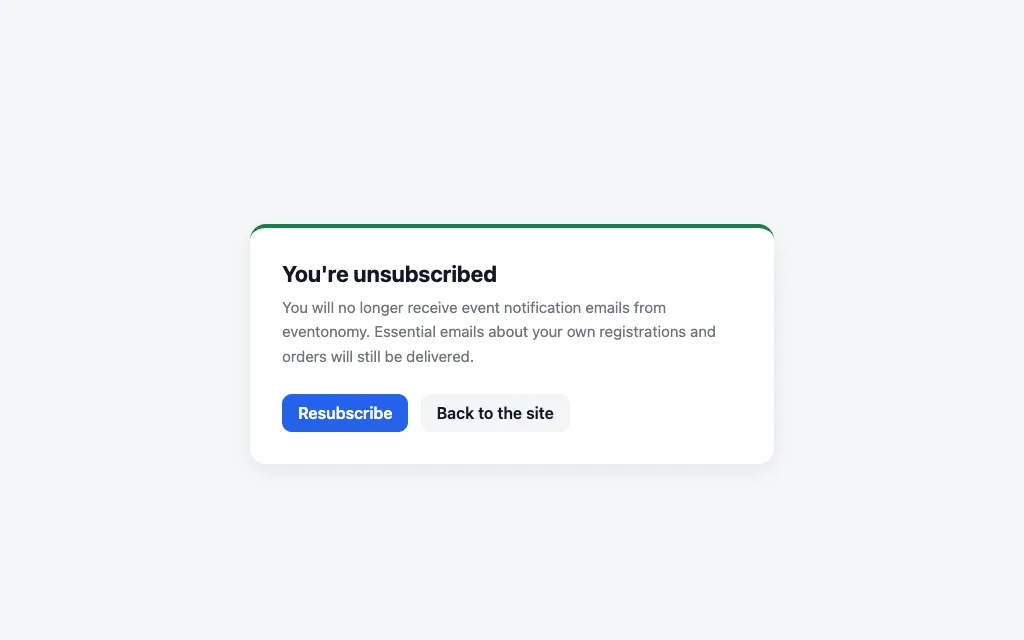
- After the button: "You're unsubscribed: you will no longer receive event notification emails from this site. Essential emails about your own registrations and orders will still be delivered."
- From that moment, every notification-class send skips that address automatically, reminders, announcements, and attendee blasts included.
A few things worth knowing about how it works:
- The unsubscribe link is unique per recipient and tamper-proof: it never contains the raw email address, and a modified link simply shows a neutral "this link is not valid" page.
- It works for guests and members alike; no login or account is needed.
- The opt-out applies to notification-class email from this site only; it is not a WordPress-wide setting.
Resubscribing
The confirmation page shown after unsubscribing includes a Resubscribe button. One click restores notification-class email for that address, useful when someone unsubscribed by accident. (Opening an unsubscribe link from a previous email asks again before changing anything.)
Suppression Never Blocks Purchases or RSVPs
Suppression only filters notification-class sends. An unsubscribed visitor can still:
- RSVP to any event and receive the RSVP confirmation.
- Buy tickets and receive the order receipt and PDF invoice.
- Receive their magic link to manage a guest RSVP.
- Be told when an event they registered for is cancelled or rescheduled.
Organizer-sent attendee blasts respect suppression: opted-out registrants are skipped at send time, and the compose panel says so.
For Developers: Classifying Custom Emails
The classification map is filterable via evnm_email_classes (email key → 'transactional' or 'notification'). Unknown keys default to notification, the legally safe direction: a new bulk email type is suppressible and carries the opt-out link unless it explicitly registers itself as transactional.
// Register a custom email key as transactional (exempt from suppression).
add_filter( 'evnm_email_classes', function ( $classes ) {
    $classes['my_shipping_update'] = 'transactional';
    return $classes;
} );
What's Next?
Review the full Notifications settings tab.