Venues & Organizers
Eventonomy maintains a shared catalog of venues and organizers. Any event can reference an existing catalog entry, so you enter the details once and reuse them without retyping.
What You Will Learn
- What the Venue and Organizer catalogs are
- How to add a venue or organizer when creating an event
- How to reuse an existing venue or organizer
- How to manage catalog entries from the admin
- Which profile fields venues and organizers have
- What the Verified badge means
- How visitors browse all events by one venue or organizer
- How venues and organizers appear on the frontend
What the Catalog Is
The Venue catalog (evnm_venues) stores reusable location records. The Organizer catalog (evnm_organizers) stores reusable profile records. Each has a full profile, described under Venue and Organizer Profiles.
When an event saves with a venue or organizer, Eventonomy finds or creates the matching catalog row and links the event to it via a foreign key. If an identical record already exists (matched on normalized name + city), the existing row is reused, with no duplicates.
Adding Venue & Organizer When Creating an Event
In the event editor, you will find two sections:
Venue
- Start typing a venue name in the Venue field.
- A dropdown shows matching entries from your catalog as you type.
- Select an existing venue to fill in name and address automatically, or finish typing to create a new one.
- Optionally edit the address after picking.
Organizer
- Start typing an organizer name in the Organizer field.
- Select an existing organizer or type a new name.
- Add a URL if relevant (the organizer's website or profile).
Both fields are searchable pickers that browse the catalog as soon as you click into them, before you have typed anything, so you can see what already exists rather than guessing. Picking an entry fills the rest of that section for you (address, city, country, website); you can still edit any of it afterwards.
Additional organizers and venues (Pro)
Pro - Eventonomy Pro lets an event list more than one organizer and more than one venue.
An event has one primary organizer and one primary venue (above); with Pro, the editor's Organizer and Location sections each gain an Add control for extra ones - co-hosts, a partner organization, a second room or a satellite location. The extras browse and fill from the same shared catalog as the primary, so a co-host you reuse dedupes and renames just like any catalog entry. They appear on the single-event page as their own rows beneath the primary, and are readable over the REST API (primary first). When you add a co-host, that organizer is notified.
Managing the Catalog from Admin
Venues
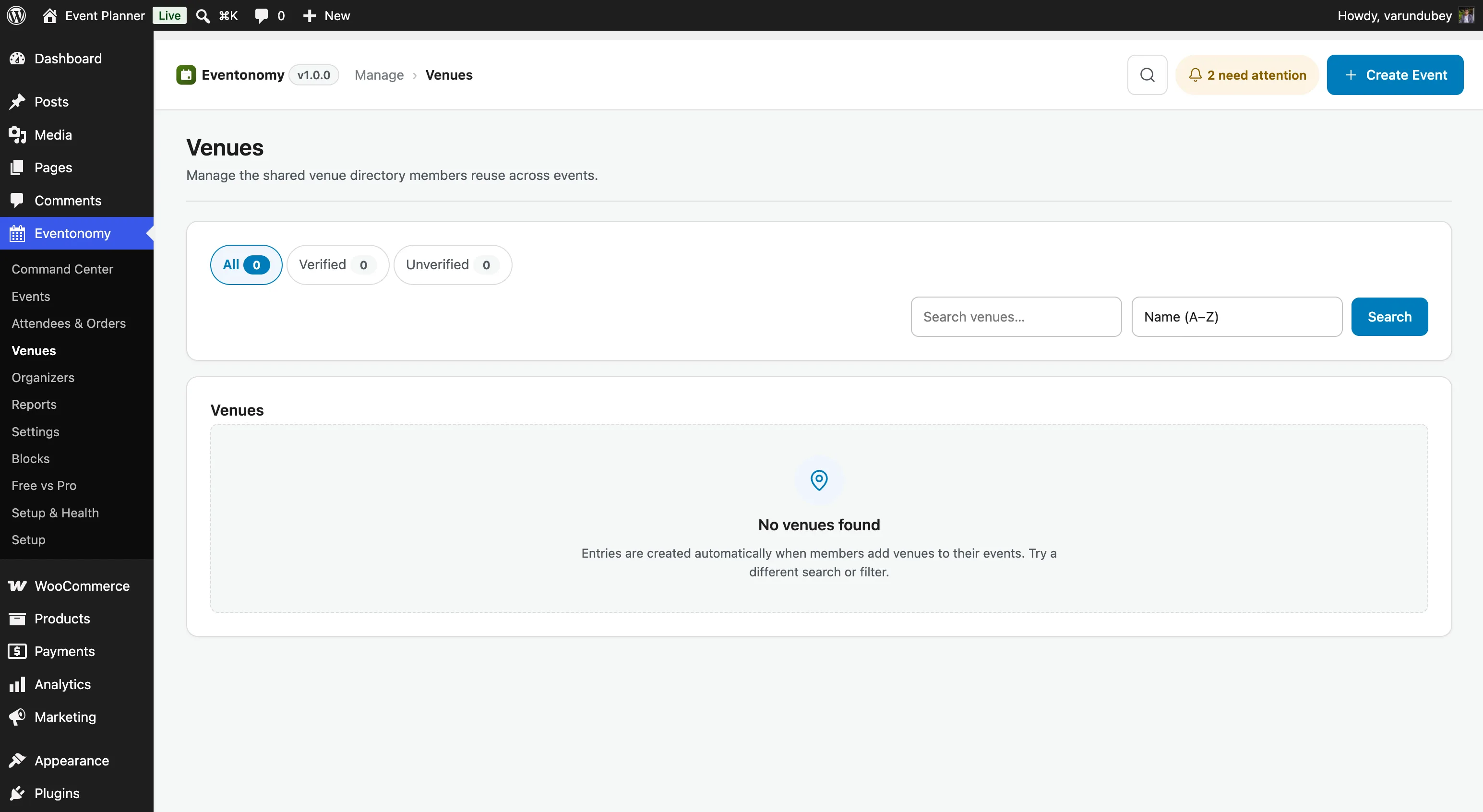
Go to Eventonomy → Venues to:
- Browse all venues with their usage count (how many events reference each one), whether they are verified, and when they were created.
- Filter by All / Verified / Unverified, search by name, and sort by name or newest first.
- Add a venue yourself, rather than waiting for a member to create one.
- Edit a venue's details - the change updates every event that references it.
- Merge two venues into one (e.g. if the same location was entered with a slightly different name).
- Verify a venue to mark it as confirmed and accurate, or unverify it again.
- Delete a venue. This is allowed even when events still use it: the confirmation tells you how many events are affected before you go ahead.
The list is paginated, so a catalog with thousands of entries stays usable.
Organizers
Go to Eventonomy → Organizers to manage organizer records in exactly the same way.
Venue and Organizer Profiles
Open a venue or organizer from Eventonomy → Venues or Eventonomy → Organizers (or use Add) to fill in its profile. Everything except the name is optional, and a field left empty shows nothing on the site.
Venue Fields
| Field | What it does |
|---|---|
| Name | Required. |
| Address, City, State or region, Postal code, Country | The postal address. The event page shows it on one line. The country is a searchable select. |
| Latitude and Longitude (map pin) | Shown only while Maps & geocoding is on. Leave them empty to place the pin from the address. With Eventonomy Pro, a map with a draggable pin appears over these fields, so you can drag the pin to the entrance. Without Pro, or without JavaScript, they stay plain number fields. |
| Photo | Shown on the event page and in the venue's archive header. |
| Getting there | Directions, parking and accessibility notes. Shown on the event page. |
| Capacity | For your reference only. Each event sets its own capacity. |
| Website URL and Description | Shown in the venue's archive header. |
Organizer Fields
| Field | What it does |
|---|---|
| Name | Required. |
| Website URL, Phone, Instagram, Facebook, X, LinkedIn | Shown as links on the event page and in the organizer's archive header. A phone number becomes a tap-to-call link. |
| For your reference and the admin list. It is not shown publicly. | |
| Logo | Shown beside the organizer on the event page and in the archive header. |
| Managed by | A member (enter a username or email) who can edit this organizer from their dashboard. |
| Description | Shown in the organizer's archive header. |
Members can fill in the same venue and organizer fields from the Venues & organizers section of their dashboard, for the entries they added.
The Verified Badge
A catalog entry is Verified when you have confirmed it. A small "Verified" badge then appears beside the venue or organizer name on the event page and on that venue's or organizer's archive heading. Verified is also the trust signal in the event editor's picker: entries you have not verified are marked Unverified.
- Use Verify and Unverify on the row, or the Verified checkbox on the edit form.
- An entry created while an administrator saves an event starts verified. An entry a member creates starts unverified and waits for you. On the admin Add form, the Verified checkbox starts empty, so tick it if you want the entry verified.
- When a site upgraded to 1.8.0, every existing active venue and organizer was marked verified once, so nothing lost its standing. New entries from then on follow the rule above.
- A developer can hide the badge everywhere with the
evnm_show_verified_badgefilter.
Browsing Events by Venue or Organizer
On a single-event page, the venue and the organizer names are links. Clicking one opens the events archive narrowed to that venue or organizer, under the heading Events at {venue} or Events by {organizer}. The heading carries the Verified badge when it applies, and a profile card below it shows the photo or logo, description and contact details.
The same view works from a plain link: add ?evnm_venue=ID or ?evnm_organizer=ID (the catalog ID) to your events page address. Use it to link to "all events at this venue" from anywhere on your site.
Members Manage Their Own
Organizers do not need wp-admin for this. The Venues & organizers section of
the member dashboard (/manage-events/) lets a member edit the venues and
organizers they added, without touching anyone else's.
Note: Deleting a catalog entry that is still referenced by events will not delete the events. The events retain a JSON snapshot of the venue/organizer details for display, so existing event pages continue to show the correct information even after a catalog row is removed.
How Venues and Organizers Appear on the Frontend
On the single-event page, the venue name links to all events at that venue, followed by its Verified badge, the address line (street, city, region and postal code), the venue photo and the Getting there note. If Settings → Appearance → Show organizer on the single event is on, the organizer appears the same way, with its logo, Verified badge, and website, phone and social links.
The venue.city field is indexed and filterable; visitors can use the search filter to find events by city without full geocoding.
Pro - If Maps & geocoding is active, a venue with a geocoded address (
lat/lng) shows an embedded map on the single-event page. See Maps & Week/Day Views.
What's Next?
Configure RSVPs so attendees can register for your events.