Manage Attendees Block
The Manage Attendees block (eventonomy/manage-attendees) is an organizer-only attendee management table for an event: search attendees, change someone's RSVP status, and export the attendee list. It renders nothing at all for anyone who isn't authorized to manage that event's attendees.
When to Use It
Add it to your single-event page, alongside the Single Event and RSVP blocks, so an event's organizer has attendee tools right on the same page as the event itself.
How to Add It
Block Editor:
- Open your single-event page (or template) in the Block Editor.
- Click + and search for Eventonomy Manage Attendees.
- Insert the block.
On a single-event template, the block automatically detects the current event. You can also place it with [eventonomy_manage_attendees id="123"]. It stays gated: a member who does not manage that event sees a refusal, not the attendee list.
Settings
| Setting | Attribute | Type | Default | Description |
|---|---|---|---|---|
| Event ID | eventId |
number | 0 | Which event's attendees to manage. Auto-detects on a single-event template. |
What Organizers Can Do
An event's organizer can search the attendee list, change an attendee's RSVP status (a ticket holder's follows their order, so their row offers Cancel order instead), export the full list, and email all registrants from the built-in Email attendees panel (see How to Message Your Attendees). Organizers of paid events also get a Sales panel with revenue and recent orders.
When No Event Is Selected
The block manages attendees for one event, which it takes from the page it is on. Opened without an event it does not error and does not look broken - it shows a short empty state:
Choose an event first Pick the event whose attendees you want to manage, then use its Manage attendees link. [Go to my events]
That button goes to the member dashboard's Hosting list, which is where the per-event Manage attendees links live. This is the intended route: open the dashboard, find the event, then click through - rather than visiting the manage-attendees page directly.
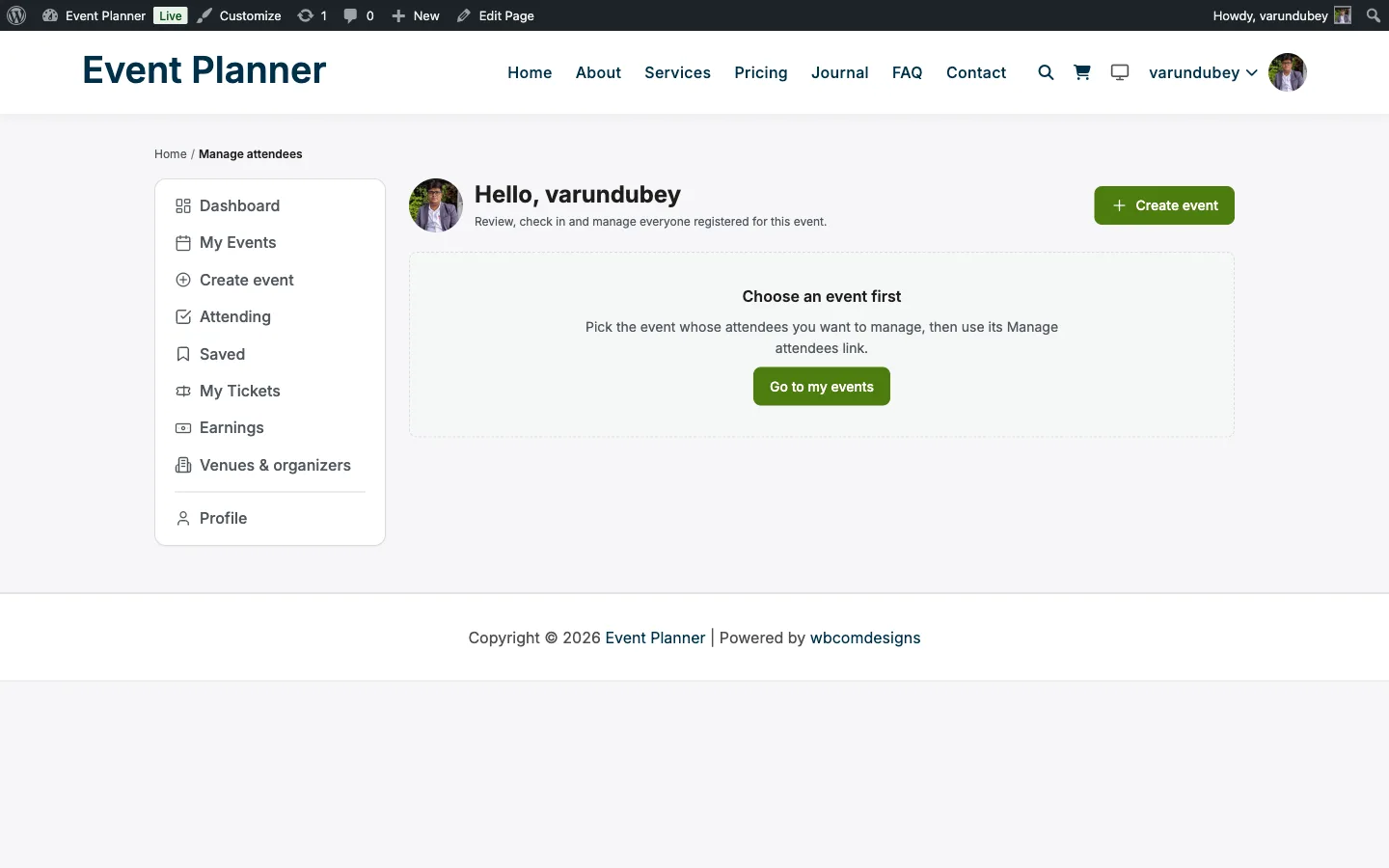
If you land here unexpectedly, it means the page was reached without an event reference; it is not a permission problem. A genuine permission failure says so explicitly and separately.
Who Sees This Block
The block shows itself to exactly two kinds of logged-in visitor:
- The event's own organizer - the person who created the event. Ownership is enough on its own, so a member with no WordPress editing permission still gets the full attendee tools for the events they created.
- Site managers - anyone with the
manage_optionsWordPress capability, which by default is the Administrator role only.
Everyone else, including logged-out visitors, sees nothing where the block sits.
Changed in 1.3.0. Managing the attendees of an event you do not own now requires site-manager permission. Before 1.3.0 an Editor could open any organizer's attendee list, change RSVPs, and email those attendees on events they had no relationship to. If someone on your site needs that cross-event reach, grant them
manage_options(the Administrator role); otherwise make them the author of the events they run and let ownership do the work. Full map: capability reference.
The Sales panel inside the block is one step stricter again: it is gated on the order-management permission, which resolves the same way (event owner, or manage_options).